The Arma Reforger server name and password are stored in server_config.json. Use the Config Editor for normal name and password changes so you do not need to edit JSON by hand.

  1. Open your Arma Reforger server in the control panel.
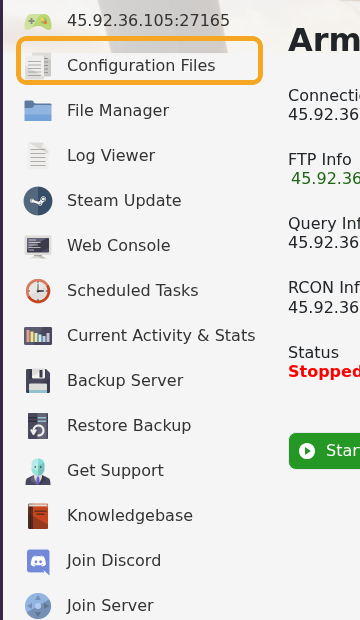
  2. Click Configuration Files.

    Arma Reforger control panel showing Configuration Files

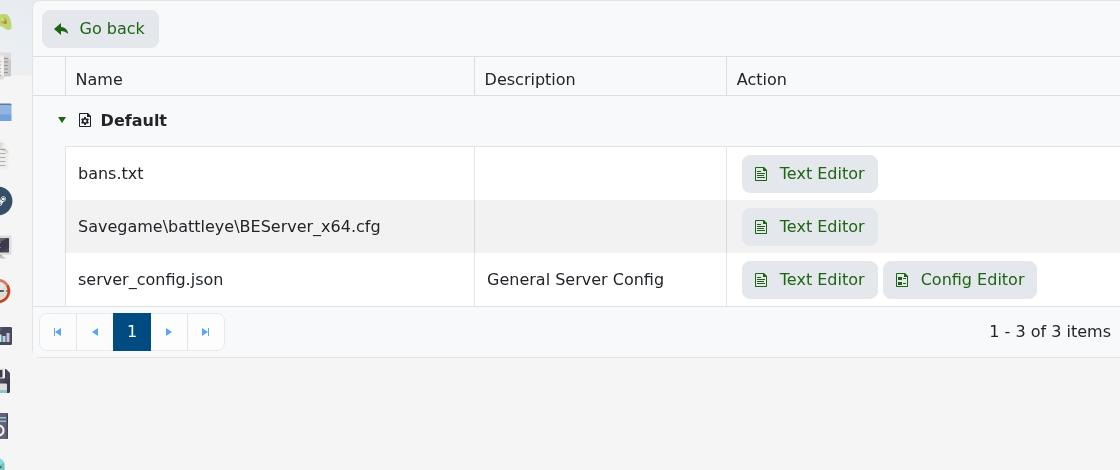
  3. Open server_config.json with Config Editor.

    Arma Reforger Configuration Files showing server_config.json

  4. Change Server Name and Server Password as needed.
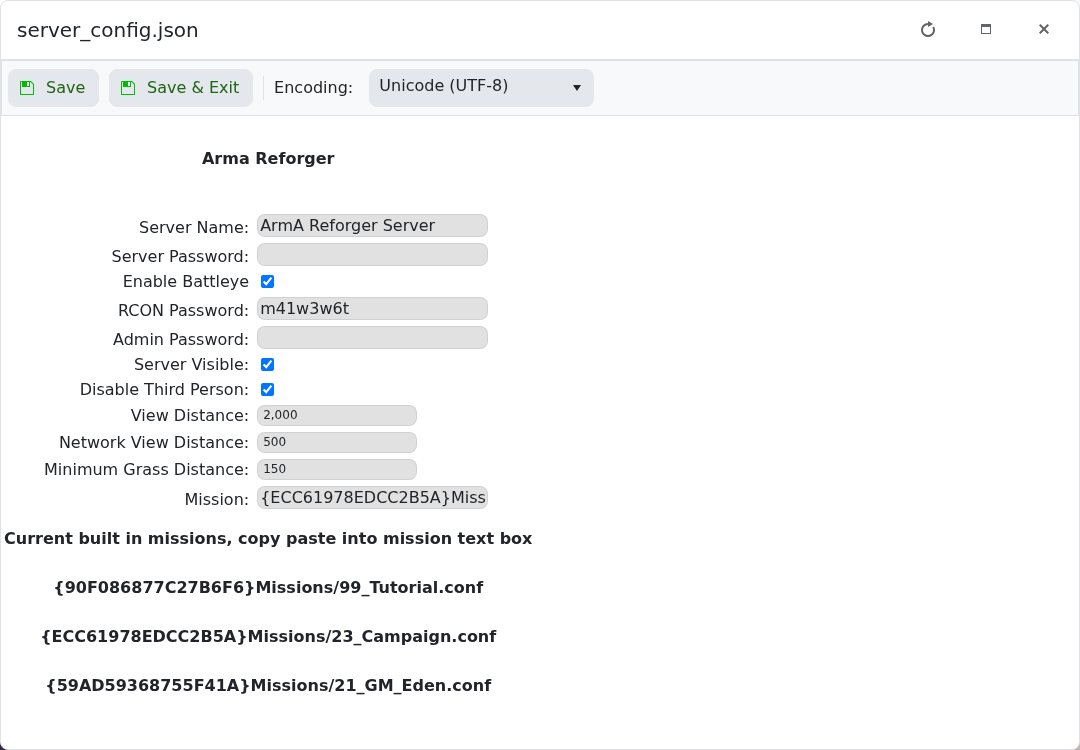
    Arma Reforger server_config.json Config Editor showing name and password fields

  5. Click Save & Exit.
  6. Restart the server so the new details are used.

Leave the password field blank if you want the server to be public. If the old name still appears in the browser immediately after restarting, wait a few minutes and refresh the server list.


  • 0 用戶發現這個有用
這篇文章有幫助嗎?

相關文章

How to join an Arma Reforger server

You can join your Arma Reforger server by using the server address shown in your control panel....

How to update your Arma Reforger server

Use Steam Update when Arma Reforger releases a server update or when your client reports that the...

How to backup your Arma Reforger server

Create a backup before changing scenarios, editing server_config.json, adding mods, changing RCON...

How to restore a backup on your Arma Reforger server

Restore a backup when you need to roll back after a broken update, bad JSON edit, unwanted...

How to change Arma Reforger server_config.json settings

Most Arma Reforger server behaviour is controlled by server_config.json. Use the Config Editor...