Restore a Valheim backup when you need to roll the server back after an unwanted world change, failed mod install, broken update, or accidental file edit. Restoring replaces current files with the selected backup.

  1. Open your Valheim server in the control panel.
  2. Stop the server.
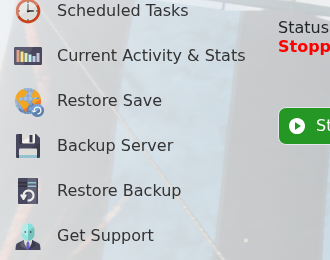
  3. Click Restore Backup.

    Valheim control panel showing Restore Backup

  4. Select the backup file you want to restore.
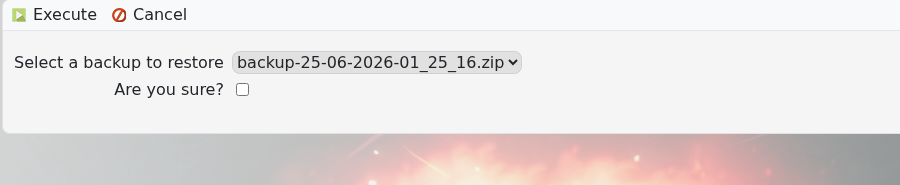
    Valheim Restore Backup form showing backup dropdown

  5. Tick Are you sure?, then click Execute.
  6. Wait for the restore to finish, then start the server.

If you are unsure which backup is correct, submit a support ticket before overwriting the current server files.


  • 0 کاربر این را مفید یافتند
آیا این پاسخ به شما کمک کرد؟

مقالات مربوطه

Changing the name of your Valheim Server

The Valheim server name is stored in the server settings file. Change it from the server.bat...

Changing the password of your Valheim Server

Use the server.bat Config Editor to set or change the Valheim join password. Valheim passwords...

Changing the world that your Valheim Server loads

The Valheim World field tells the server which world save to load. The value must match the world...

How to upload a world to your Valheim Server

Upload a Valheim world when you want your server to run a world from your own PC or another...

How to make yourself admin on a Valheim Server

Valheim server admins are listed in adminlist.txt. Add your SteamID64 to that file, save it, then...