
Reset your Satisfactory world by removing the current save from the server save folder. This does not normally require reinstalling the server files; only the active save needs to be removed or replaced.

  1. Open your Satisfactory server in the control panel.
  2. Click Backup Server first.
  3. Stop the server.
  4. Click File Manager.
  5. Open FactoryGame/Saved/SaveGames/server.
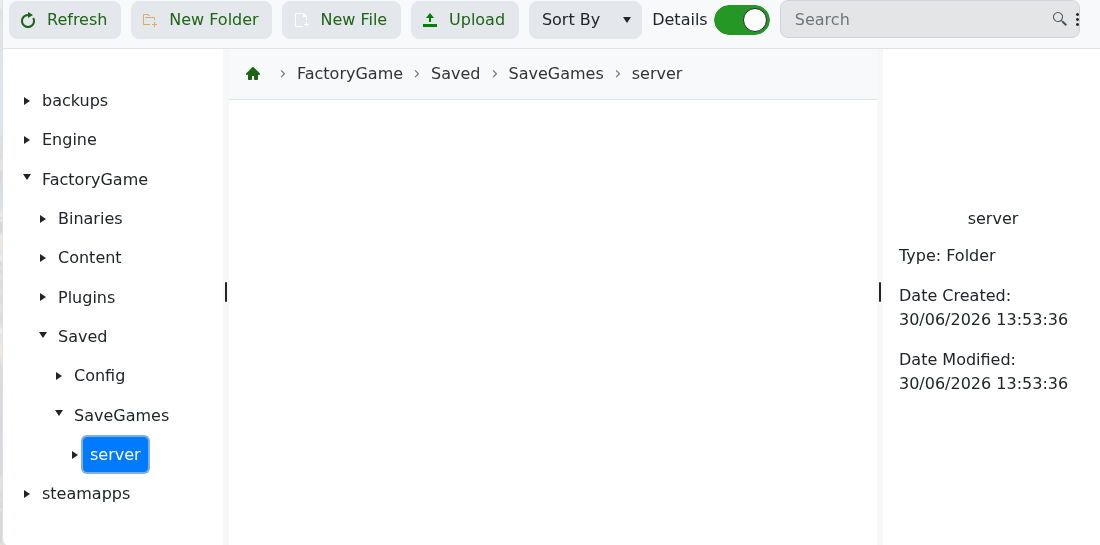
    Satisfactory File Manager opened inside SaveGames server folder

  6. Select the current .sav world file, then delete it. Download a copy first if you may need it later.
  7. Start the server.
  8. Use the in-game Server Manager to create or load the world you want.

If SaveGames/server does not exist yet, start and claim the server once so Satisfactory can generate the save structure. Do not delete the full FactoryGame, Engine, or steamapps folders when you only want a world reset.


  • 0 Los usuarios encontraron esto útil
¿Le ha resultado útil esta respuesta?

Artículos relacionados

How to join your Satisfactory server

Use the Connection Info address from the control panel when adding your Satisfactory dedicated...

How to update your Satisfactory server

Use Steam Update when Satisfactory releases a dedicated server update, when players see a version...

How to backup your Satisfactory server

Create a Satisfactory backup before updating, uploading saves, changing config files, or...

How to restore a backup on your Satisfactory server

Restore a Satisfactory backup when you need to roll back after a failed update, config change,...

How to edit Satisfactory server configuration files

The main Satisfactory server setup is handled in-game through Server Manager, including...
