
Use Satisfactory Server Manager for normal dedicated-server settings. This is where you change the server name, passwords, auto-load behavior, autosave behavior, restart schedule, reporting options, network quality, and seasonal events after the server has been claimed.
- Join your Satisfactory server or open the pause menu, then click Server Manager.
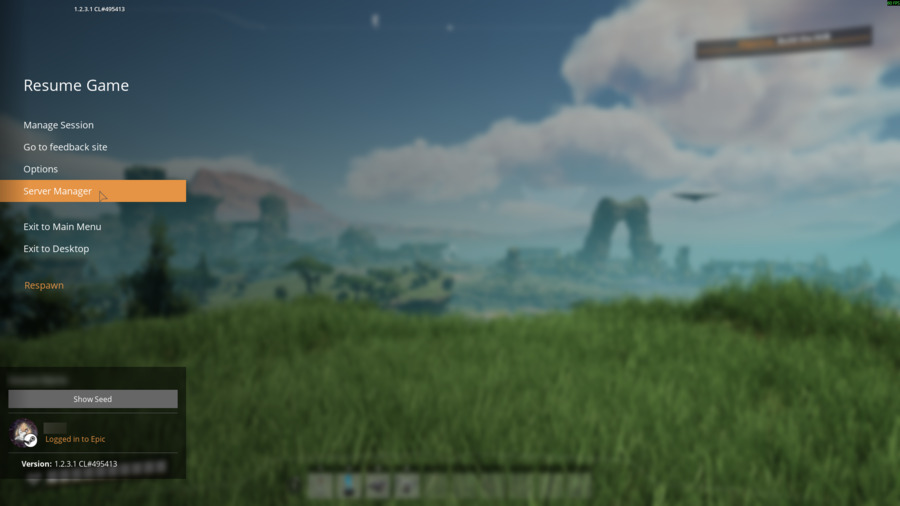
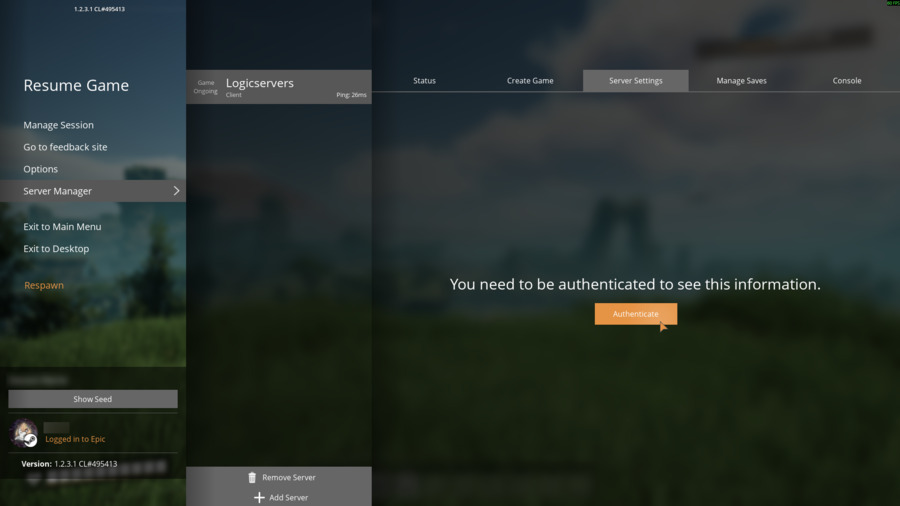
- Select your server and open Server Settings. If Satisfactory says authentication is required, click Authenticate.
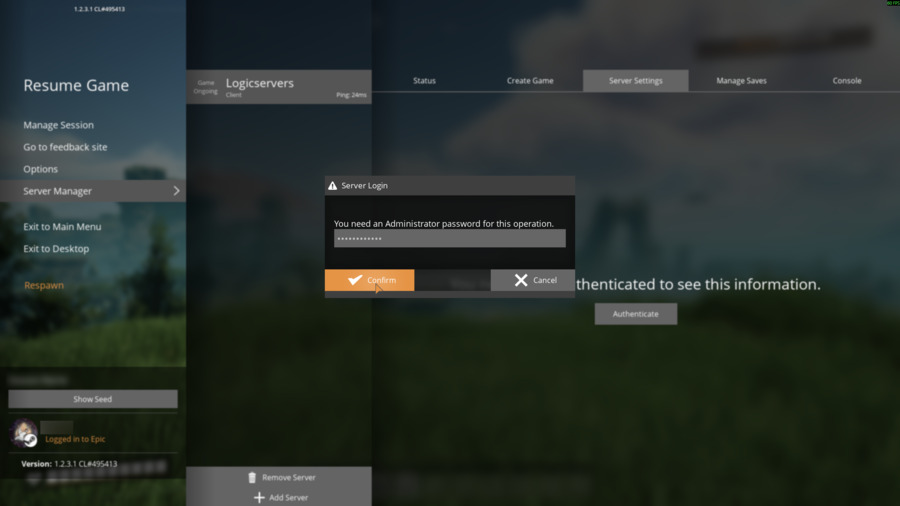
- Enter the administrator password for the server, then click Confirm.
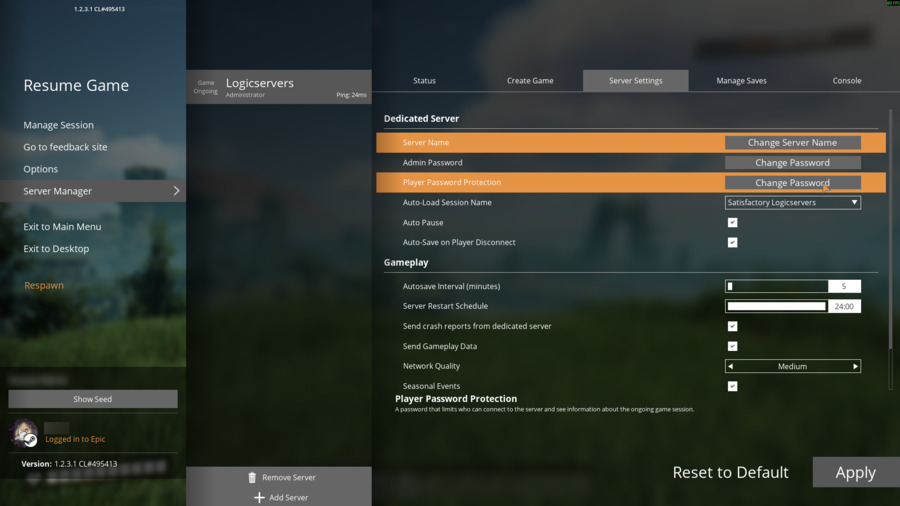
- Change the settings you need, then click Apply.
| Setting | What it changes | Notes |
|---|---|---|
| Server Name | The display name for the dedicated server. | Use Change Server Name to rename the server shown in Server Manager. |
| Admin Password | The password required to authenticate and manage server settings. | Use Change Password. Keep this private. |
| Player Password Protection | The password required for players to connect and view session information. | Leave blank/disabled for an open server, or set a password for a private server. |
| Auto-Load Session Name | The save/session the server should load automatically. | Choose the session name from the dropdown after saves exist on the server. |
| Auto Pause | Pauses the game simulation when no players are connected. | Useful if you do not want factories running while nobody is online. |
| Auto-Save on Player Disconnect | Creates a save when a player leaves the server. | Helpful before the last player disconnects. |
| Autosave Interval (minutes) | How often the server writes automatic saves. | Lower values save more often but can create more frequent save activity. |
| Server Restart Schedule | The daily restart time shown by the game. | Use this for the in-game restart schedule. Use the control panel Scheduled Tasks if you need panel-level scheduled actions. |
| Send crash reports from dedicated server | Controls whether dedicated-server crash reports can be sent. | Useful for diagnostics after crashes. |
| Send Gameplay Data | Controls gameplay telemetry/data sharing from the server. | Disable it if you do not want gameplay data sent. |
| Network Quality | The network quality preset used by the server. | Increase or reduce based on connection stability and player experience. |
| Seasonal Events | Enables or disables seasonal content/events. | Toggle this if you do not want seasonal event content active on the server. |
Use the control panel configuration files only for advanced manual values. For normal Satisfactory server settings, Server Manager is the correct place to make changes.


