
Use the server.bat Config Editor to set or change the Valheim join password. Valheim passwords must be long enough to be accepted by the game, so avoid very short passwords.
- Open your Valheim server in the control panel.
- Click Configuration Files.
- Open
server.batwith Config Editor. - Enter the new value in Server Password.
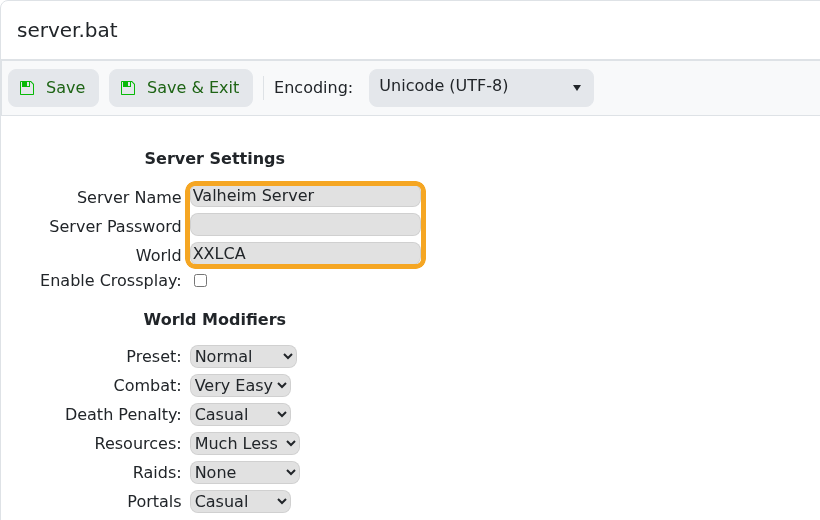
- Click Save & Exit.
- Restart the server and give players the new password.
If players still see the old password behaviour, confirm they are joining the correct IP and that the server restarted after the change.


