You can join a Windrose server by using the server invite code, or by connecting directly with the server IP and port.

Need a server? Order a Windrose server.


Open The Server Join Menu

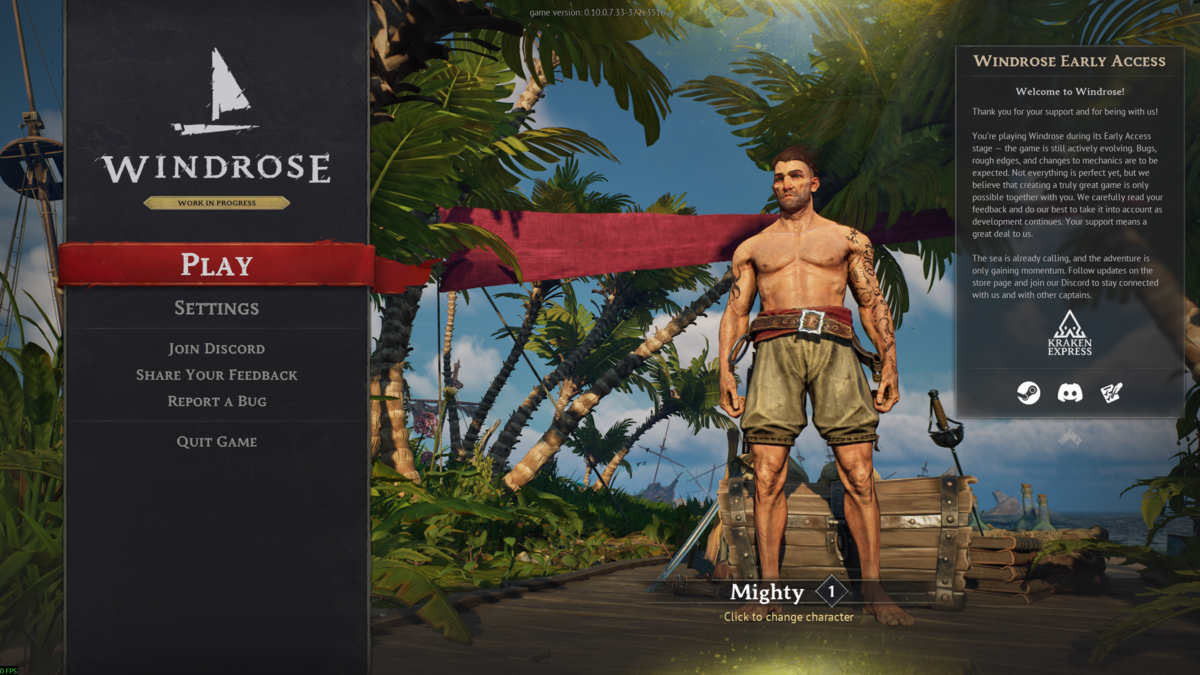
  1. Open Windrose, then click Play.

    Windrose main menu with Play selected

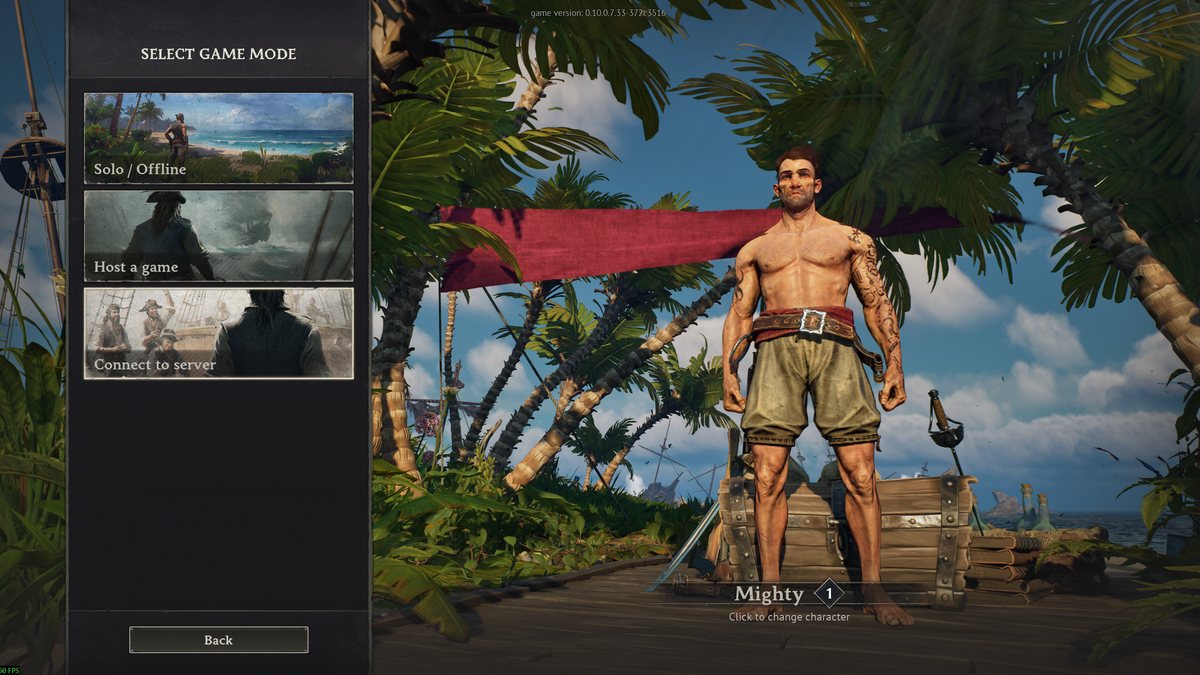
  2. Click Connect to server.

    Windrose Select Game Mode screen with Connect to server selected


Join With An Invite Code

If you do not have the invite code yet, use this guide first: How to find your Windrose server join code.

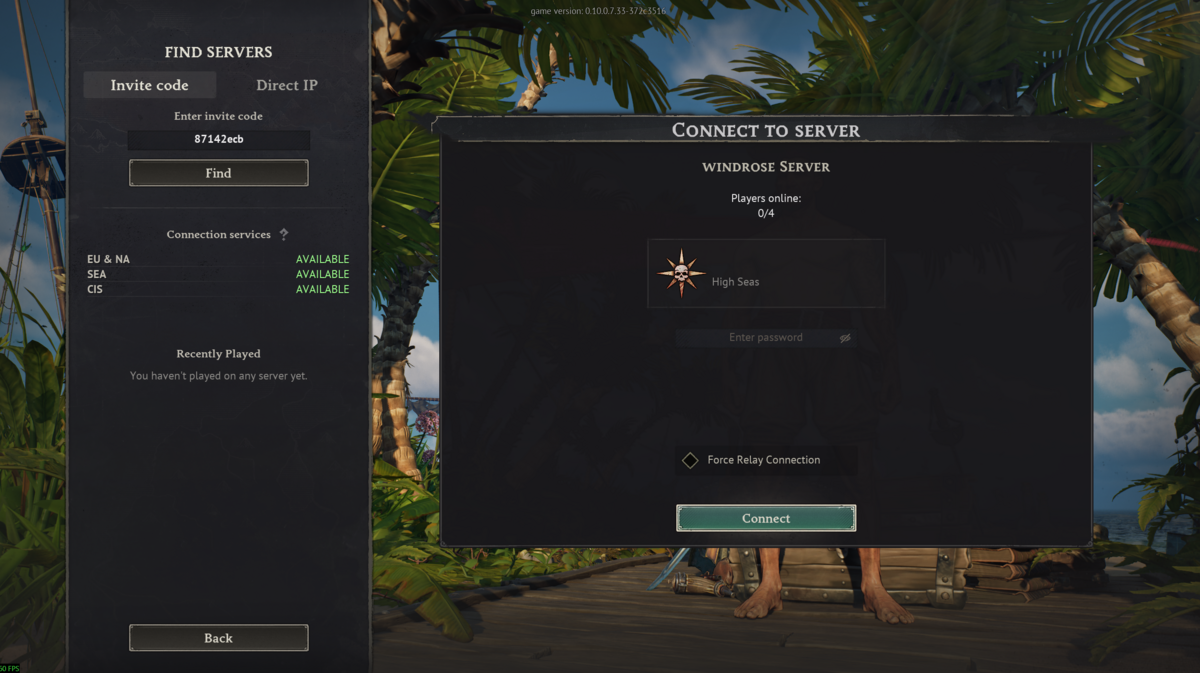
  1. Click the Invite code tab.
  2. Enter the server invite code, then click Find.
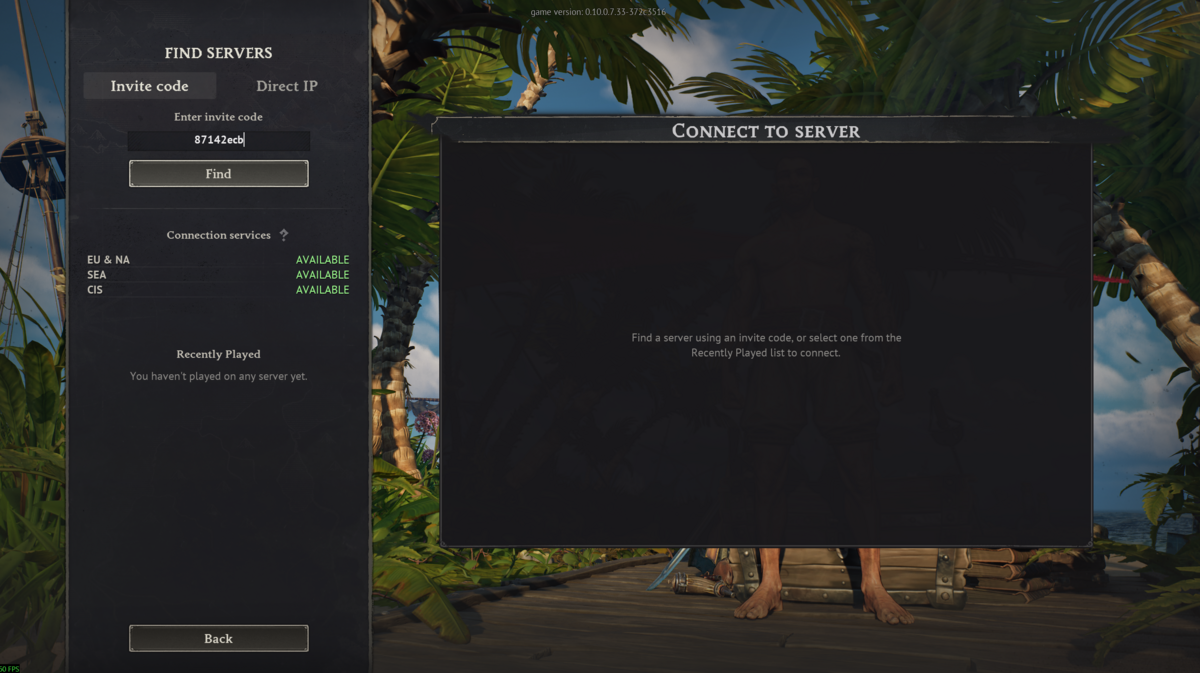
    Windrose invite code tab with an invite code entered

  3. Select the server that appears.
  4. If the server has a password, enter it in the password field. You can set or check the password here: How to set a password on your Windrose server.
  5. Click Connect.

    Windrose invite code server result with Connect button


Join With Direct IP

  1. Open your server in the game panel and copy the IP address and port from the Connection Info box.
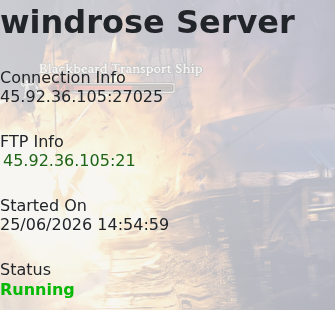
    Windrose game panel Connection Info box

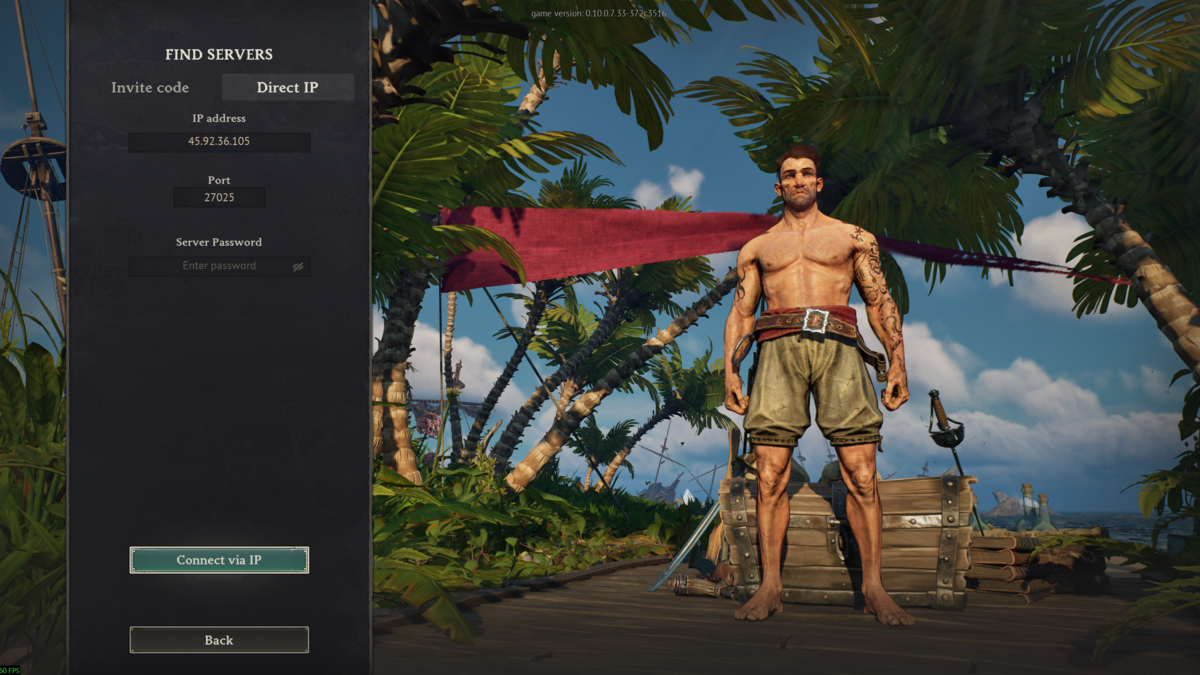
  2. Click the Direct IP tab in Windrose.
  3. Enter the server IP address.
  4. Enter the server port.
  5. If the server has a password, enter it in the Server Password field.
  6. Click Connect via IP.

    Windrose Direct IP tab with IP address and port entered


If you cannot connect, check that the server is online, the invite code or IP and port are correct, and the password is correct if one is set.

If you still need help joining, submit a support ticket.

  • 0 Корисниците го најдоа ова како корисно
Дали Ви помогна овој одговор?

Понудени резултати

How to change the password on your Windrose server

If you only want yourself and your friends to be able to join your Windrose server it is a good...

How to backup your Windrose server

How to backup your Windrose Server   We make backups simple. Every day, our system...

How to update your Windrose server

As Windrose is still in early access you will see lots of updates happening to the game. When the...

How to change the name on your Windrose server

How to change the name of your Windrose server   This guide will walk you through the process...

How to restore your Windrose Server from a backup

Restoring a Windrose backup replaces the current server files with the files from the selected...