
Hytale mod support can depend on the server build and the mod you are installing, so always check the install instructions from the mod author first. Most server mods are installed by uploading the mod files into the correct folder on your server.
Before you start: stop your server and take a backup. If a mod breaks the server, a backup is the quickest way to get back to a working setup.
- Download the server version of the mod you want to install. Make sure it is for the same Hytale version your server is running.
- Go to your server in the control panel, then click the Files tab.
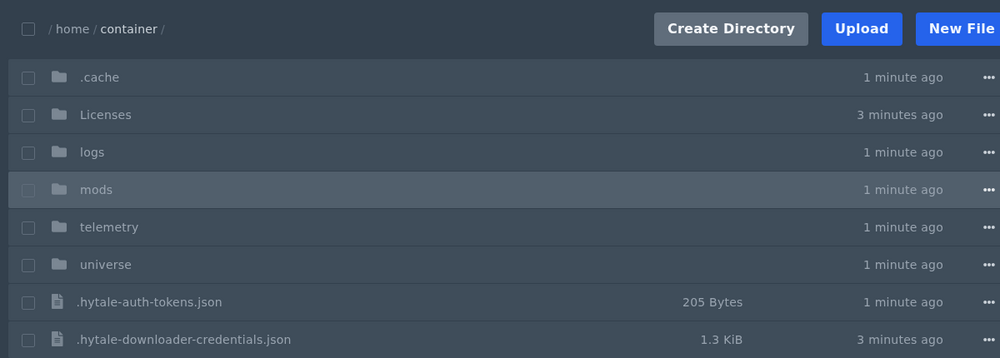
- Open the
modsfolder. If the folder does not exist, click Create Directory and create a folder calledmods. - Upload the mod files into the
modsfolder. You can drag and drop files into the file manager, or use FTP/FileZilla if the upload is large. - If the mod is a zip file, upload it and then extract it from the file manager. Try not to upload a folder inside another folder by mistake, as this is a common reason mods do not load.
- Start your server and check the console for errors.
If the server fails to start after installing a mod, remove the mod files you uploaded and try starting again. If it starts normally after removing the mod, the mod is either installed in the wrong place, missing a dependency, or not compatible with your current server version.
If a mod needs a specific config file edited, make sure the JSON formatting stays valid. A missing comma is enough to stop the server from booting.


