
Wiping a Space Engineers server removes selected server data so the server can start fresh. Always take a backup first because deleted world data cannot be recovered unless a backup exists.

Wipe The Server

  1. Open your Space Engineers server in the control panel.
  2. Create a backup first: How to backup your Space Engineers server.
  3. Stop the server.
  4. Click Wipe Server from the left side menu.
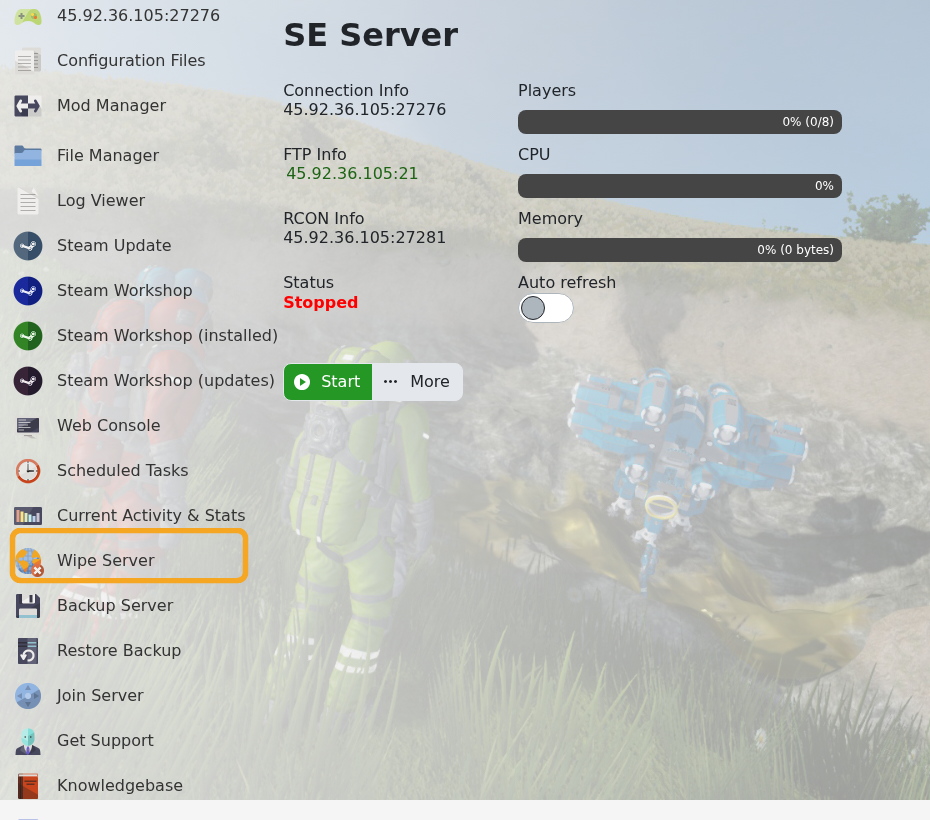
    Space Engineers control panel showing Wipe Server

  5. Select the data you want to wipe, then execute the wipe.
  6. Start the server and confirm it generated or loaded the expected world.

Use a normal wipe when you want a clean world. If you only want to switch to another existing world, use Loading a world on your Space Engineers server instead.


  • 43 Utilisateurs l'ont trouvée utile
Cette réponse était-elle pertinente?

Articles connexes

Uploading a Space Engineers world to your server

Upload a Space Engineers world when you want to move a single-player or locally hosted save onto...

How to join a Space Engineers server

You can join a Space Engineers server by using the connection address from your control panel....

Adding Group Whitelist in Space Engineers

Space Engineers whitelisting is handled with a Steam group. When a Steam Group ID is set, only...

Adding Yourself as an Admin in Space Engineers

Space Engineers admins can use the in-game admin tools to manage players, entities, trash...

How to find a Steam Group ID

To find your Steam group ID, first get the URL of your Steam group. It will look similar to:...
