Reinstalling runs the server install process again. This can be useful if the server files are broken, you want to rebuild the server software, or you need the panel to download the latest available server files for that game or egg.

Reinstall the server

  1. Stop the server and take a backup of anything you want to keep.
  2. Open Settings, then find Reinstall Server and click Reinstall Server.
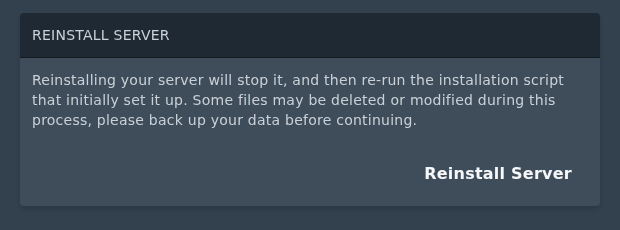
    Reinstall Server section on the Ptero settings page

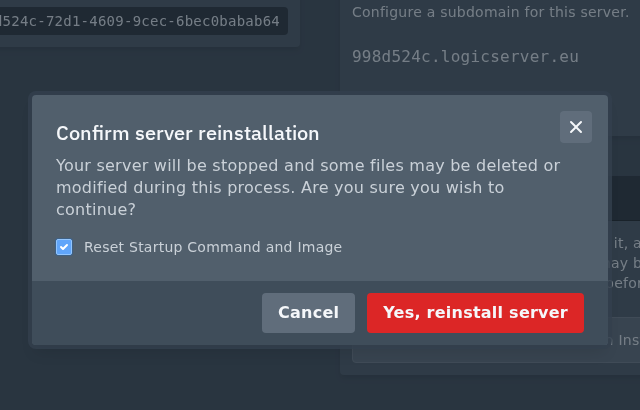
  3. Read the confirmation prompt. If you want to reset the startup command and Docker image back to the egg defaults, tick Reset Startup Command and Image.
  4. Click Yes, reinstall server.

    Reinstall Server confirmation prompt on Ptero

Reinstalling can replace, reset, or remove files depending on the game or egg. Do not reinstall until you have backed up anything important, especially worlds, saves, configs, plugins, and mods. After the reinstall finishes, start the server from Console and check that it comes online normally.


  • 0 Пользователи нашли это полезным
Помог ли вам данный ответ?

Связанные статьи

Setting up Scheduled Tasks in TCAdmin

Log into your control panel. Enter Schedule Tasks, create a new one and choose the...

How to add sub-users in TCAdmin

Log into TCAdmin. Enter Sun Users, found under User Management. Select new, and in...

How to Increase how many players can join your Minecraft Server or Game Server

Expanding server slots is a key step in enhancing your game server's capacity, allowing more...

How to Report Abuse on Services Hosted by LogicServers

At LogicServers, we prioritize maintaining a safe and secure online environment for all our...

Feedback and Complaints Submission

We strive to provide the best service possible, we can only improve on our services with valid...