
You can create a backup from the Ptero panel before making changes to your server files, settings, mods, plugins, or worlds. If you are backing up world or save data, stop the server first so the files are not being written to while the backup is created.
Create a backup
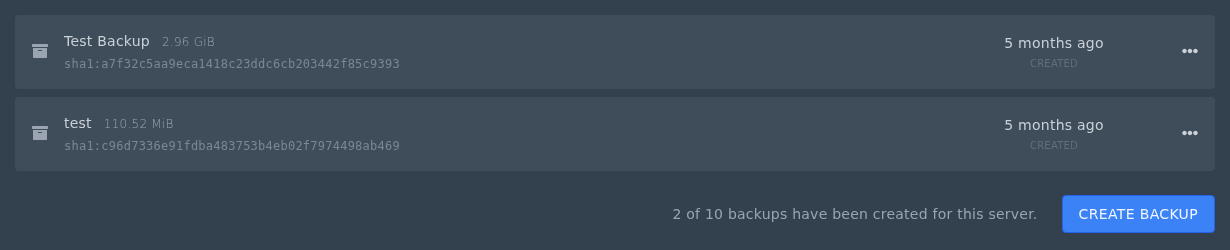
- Open your server in the Ptero control panel, then open Backups.
- Click Create Backup.
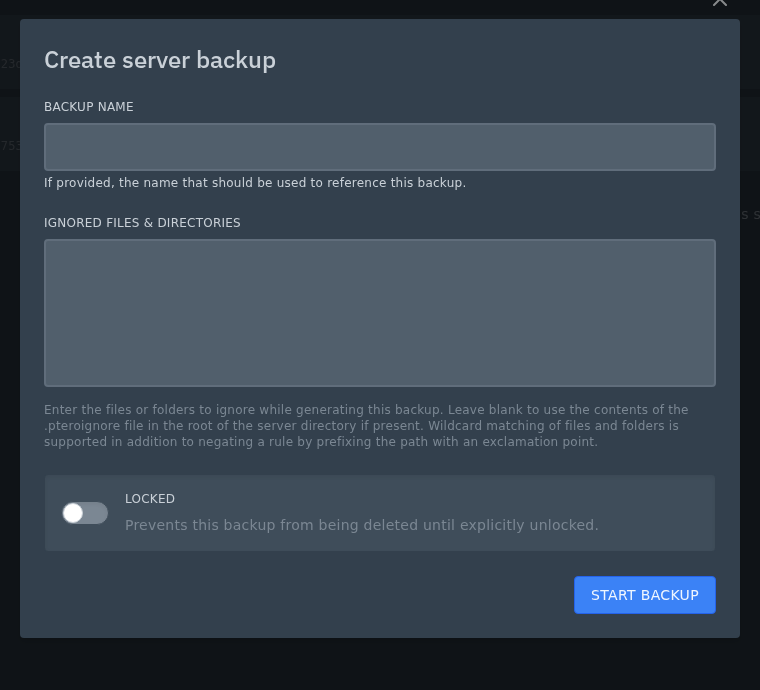
- Enter a Backup Name so you can recognise the backup later.
- Leave Ignored Files & Directories blank unless you know specific files or folders should be excluded. If your server has a
.pteroignorefile, the panel can use that when this box is left blank. - Enable Locked if you want to stop the backup being deleted until it is unlocked.
- Click Start Backup.
Wait for the backup to finish before changing files, updating the server, or starting it again. Large servers can take longer to back up. If you need to roll back later, see our restore guide here: Restoring a backup on our Ptero panel.


