
Endstone plugins are used on Minecraft Bedrock servers running Endstone. They are not the same as Java Edition Paper, Spigot, or Bukkit plugins.
If Endstone is not installed yet, set that up first: How to use Endstone on your Minecraft Bedrock server.
Upload the plugin
- Download the plugin file from the plugin author and check their instructions before uploading it. Python plugins are usually built as
.whlfiles, while C++ plugins use shared library files. - Open your Endstone server in the control panel, then open Files.
- Open the
pluginsfolder and upload the plugin file into it.
You can drag and drop it into the File Manager, or use FileZilla if the file is large: How to connect to SFTP using FileZilla.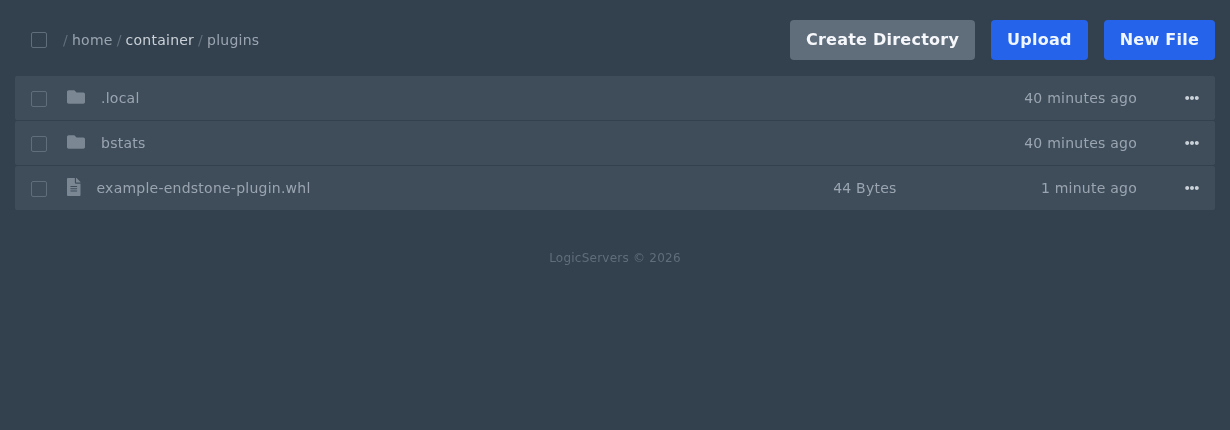
- Restart the server from Console.
Check the plugin loaded
- Open Console after the restart.
- Look for the plugin loading message or any plugin errors.
- If the server stops during startup, remove the plugin file and restart again. Then check the plugin version, dependencies, and Endstone version.
For plugin-specific setup, use the Endstone docs here: Endstone plugin install guide.


