
Dragonwilds mods can be installed from the Mod Manager when we have added a supported mod there. You can also use the File Manager or SFTP for manual mod files when a mod author gives server-side install instructions.

Install a mod from Mod Manager

  1. Open your Dragonwilds server in the control panel.
  2. Stop the server.
  3. Click Mod Manager on the left side menu.
  4. Find the mod you want to install, then click Install.
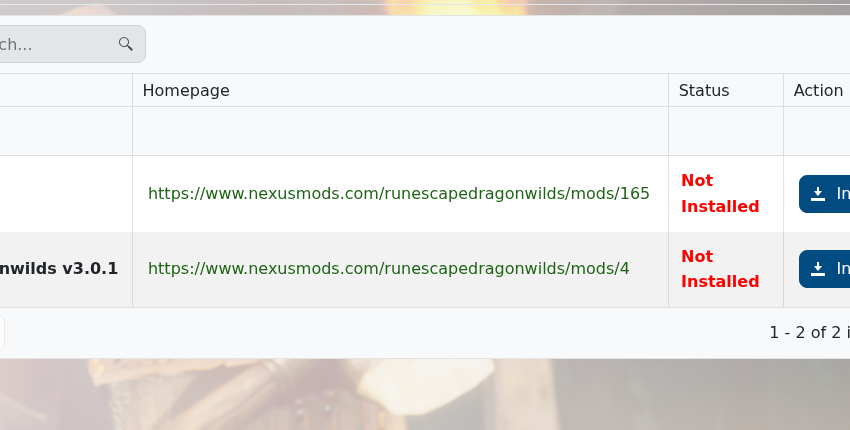
    Dragonwilds Mod Manager

  5. Wait for the install to finish, then start the server again.

At the time of writing, the Mod Manager includes UE4SS for RSDragonwilds and StackLimit. For larger manual uploads, use FileZilla: How to connect to SFTP using FileZilla.

If the mod you want is not listed, submit a support ticket and we can check whether it can be added.


  • 0 utilizatori au considerat informația utilă
Răspunsul a fost util?

Articole similare

How to backup your Dragonwilds Server

Dragonwilds servers include scheduled backups, but it is still worth taking a manual backup...

How to restore your Dragonwilds Server from a backup

You can restore a Dragonwilds backup if a setting change, mod install, update, or world change...

How to join a Dragonwilds Server

You can find your Dragonwilds server connection details on the server home page in the control...

How to Change Your Dragonwilds Username

Dragonwilds player names are handled by the game client rather than the server control panel. If...

Dragonwilds Server RAM Recommendations

The right RAM amount for a Dragonwilds server depends on player count, world activity, mods, and...
