
The ASKA server name and private password are edited from server properties.txt in the Config Editor.

  1. Open your ASKA server in the control panel, then click Configuration Files.
  2. Click Config Editor next to server properties.txt.
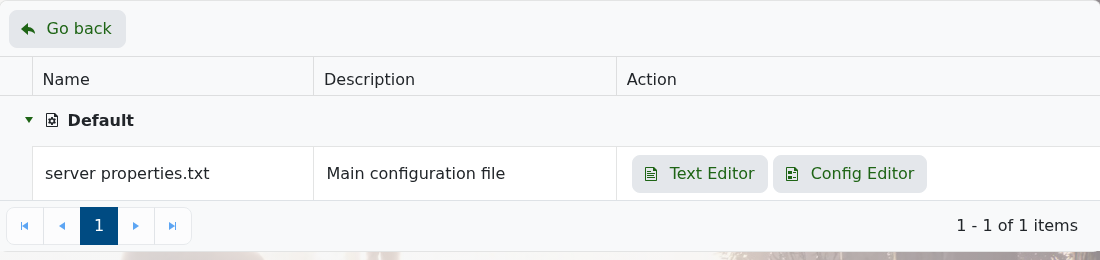
    ASKA Configuration Files page showing Config Editor

  3. Change Server Name to the name you want players to see.
  4. Enter a password in Server Private Password if you want the server to require one.
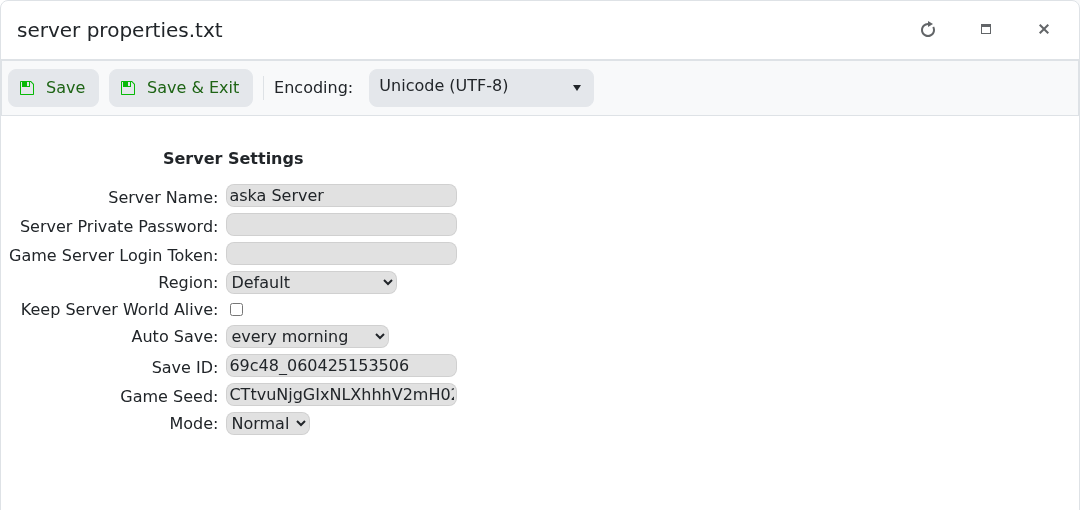
    ASKA Config Editor showing server name and private password

  5. Click Save & Exit, then restart the server.

The password can be left blank if you want the server to be open. For existing saves, ASKA may keep using the name stored in the save itself.


  • 0 Los usuarios encontraron esto útil
¿Le ha resultado útil esta respuesta?

Artículos relacionados

How to backup your ASKA Server

Backing up your server is essential, it allows you to rollback if something goes wrong and gives...

Changing settings on your ASKA server

Customising a server is a big part of owning a private game server, allowing you to get exactly...

Adding a GSLT to your ASKA server

ASKA game servers require a Game Server Login Token (GSLT) in order for the server to run. This...

How to find your ASKA Server in game

In ASKA, build and sustain a powerful Viking tribe where you and your villagers work, craft,...

How to keep your ASKA server running with no one online

ASKA can unload the world when the last player leaves. Turn on Keep Server World Alive if you...
