
A manual Rust backup saves the server files before you make a risky change. Use one before Steam updates, wipes, custom map uploads, plugin changes, and major config edits.

  1. Open your Rust server in the control panel.
  2. Stop the server if you want the cleanest backup. For quick routine backups, you can leave it running.
  3. Click Backup Server on the left side menu.
  4. Click OK when the backup confirmation appears.
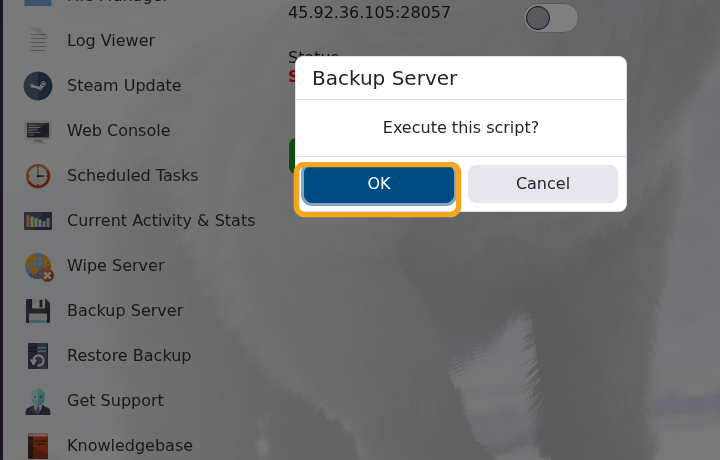
    Rust Backup Server confirmation popup

  5. Wait until the backup output says the script has executed successfully.
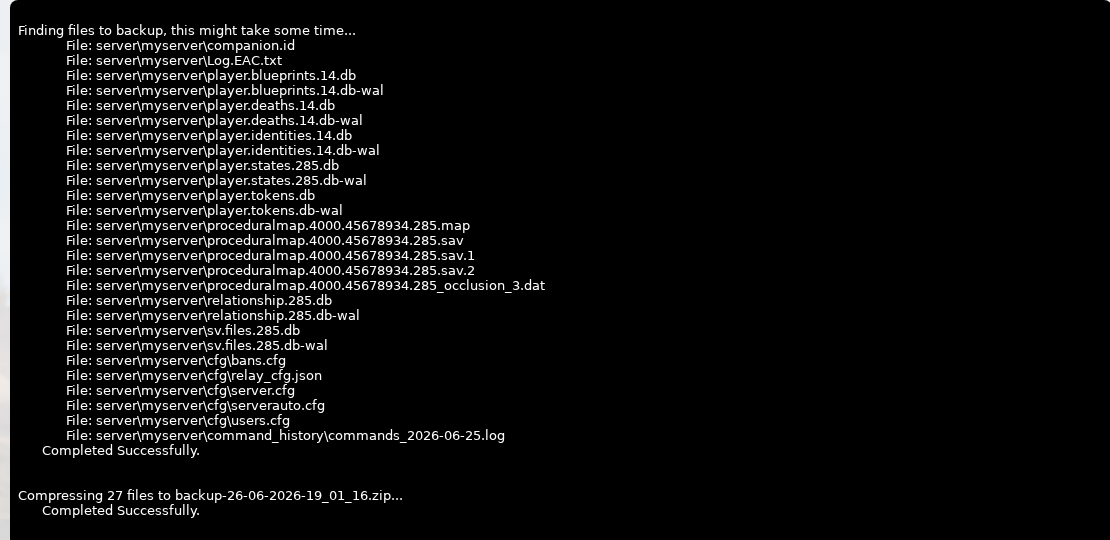
    Rust backup output showing backed up server files

  6. You can now continue with your update, wipe, upload, or config change.

Need to roll back later? Use How to restore a backup on your Rust server.

  • 0 Utilisateurs l'ont trouvée utile
Cette réponse était-elle pertinente?

Articles connexes

Making yourself admin on a Rust Server

Rust admin access lets a trusted player run server commands, moderate players, save/write config...

How to join a Rust Server

Use the server address from your control panel to join your Rust server. This guide uses...

Installing Rust: IO on your Rust Server

Rust:IO is an older mapping/plugin ecosystem for Rust servers. On our Rust panel, Rust:IO is...

Wiping the world of your Rust server

Wiping and resetting a Rust server are the same basic workflow: remove the current saved data so...

Creating a custom command line for your Rust server

Rust command lines control startup-only options such as RCON, WebRCon, logs, map size, save...

