
Create a backup before changing worlds, installing Workshop content, wiping data, editing configuration files, or updating to an experimental branch. A backup gives you a rollback point if the server fails to start or the wrong world is loaded.

Create A Backup

  1. Open your Space Engineers server in the control panel.
  2. Click Backup Server from the left side menu.
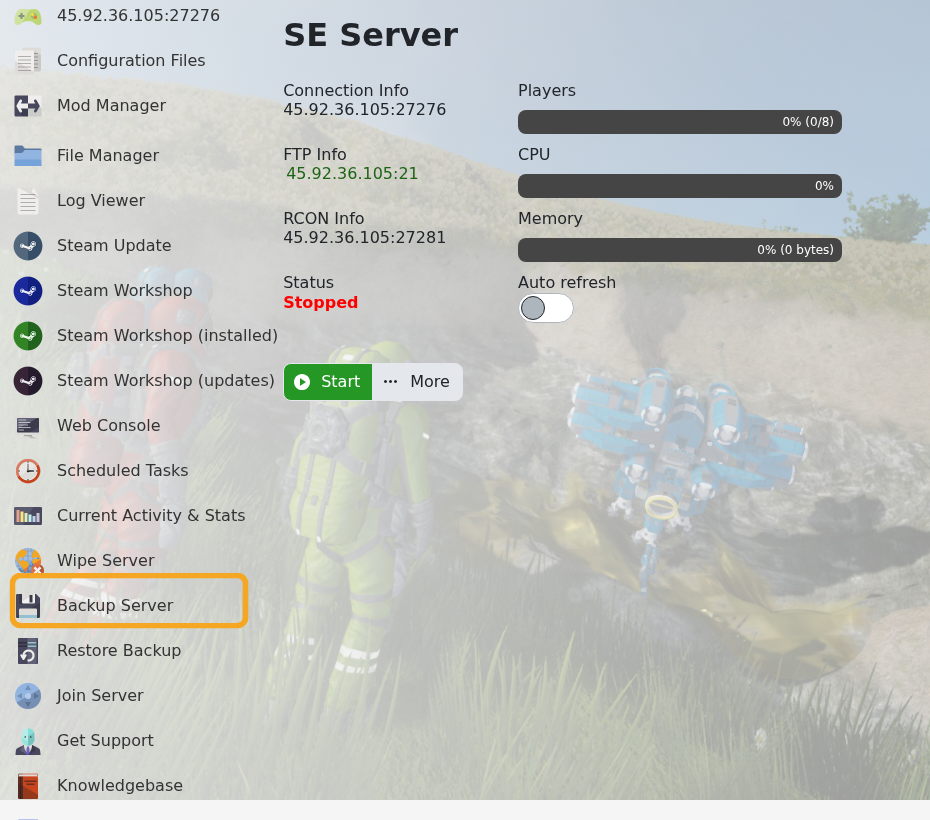
    Space Engineers control panel showing Backup Server

  3. Confirm the backup task if prompted.
  4. Wait for the task to finish before making further changes.

For the cleanest backup before a major wipe or world upload, stop the server first so save files are not being written while the backup is taken.


  • 0 Kasutajad peavad seda kasulikuks
Kas see vastus oli kasulik?

Seotud artiklid

Uploading a Space Engineers world to your server

Upload a Space Engineers world when you want to move a single-player or locally hosted save onto...

Wiping the world of your Space Engineers server

Wiping a Space Engineers server removes selected server data so the server can start fresh....

How to join a Space Engineers server

You can join a Space Engineers server by using the connection address from your control panel....

Adding Group Whitelist in Space Engineers

Space Engineers whitelisting is handled with a Steam group. When a Steam Group ID is set, only...

Adding Yourself as an Admin in Space Engineers

Space Engineers admins can use the in-game admin tools to manage players, entities, trash...
