
Restore a backup when you need to roll the server back after a bad update, unwanted wipe, broken Workshop install, or accidental file edit. Restoring replaces current server files with the backup you select.

Restore A Backup

  1. Open your Space Engineers server in the control panel.
  2. Stop the server.
  3. Click Restore Backup from the left side menu.
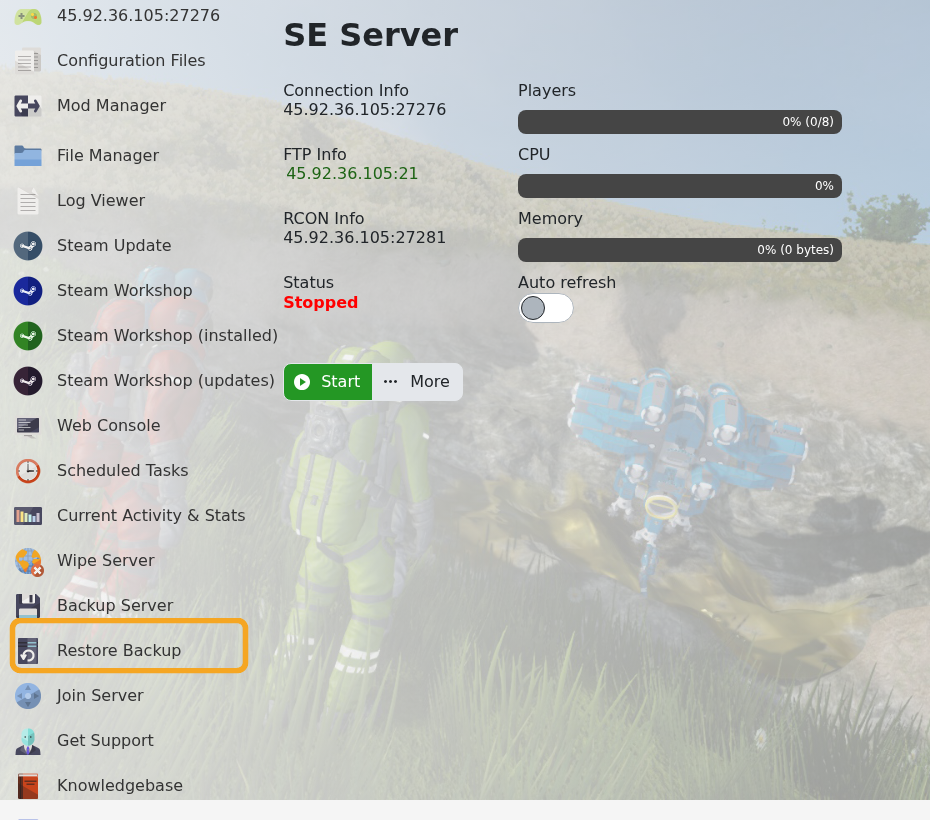
    Space Engineers control panel showing Restore Backup

  4. Select the backup you want to restore from the dropdown.
  5. Tick Are you sure?, then click Execute.

    Space Engineers Restore Backup form showing backup dropdown and Execute button

  6. Wait for the restore task to finish.
  7. Start the server and check that the expected world loads.

If you are unsure which backup to restore, submit a support ticket before running the restore so we can help identify the safest restore point.


  • 0 Korisnici koji smatraju članak korisnim
Je li Vam ovaj odgovor pomogao?

Vezani članci

Uploading a Space Engineers world to your server

Upload a Space Engineers world when you want to move a single-player or locally hosted save onto...

Wiping the world of your Space Engineers server

Wiping a Space Engineers server removes selected server data so the server can start fresh....

How to join a Space Engineers server

You can join a Space Engineers server by using the connection address from your control panel....

Adding Group Whitelist in Space Engineers

Space Engineers whitelisting is handled with a Steam group. When a Steam Group ID is set, only...

Adding Yourself as an Admin in Space Engineers

Space Engineers admins can use the in-game admin tools to manage players, entities, trash...
