Restore a backup when you need to roll your Arma 3 server back after a broken update, unwanted config change, bad mission upload, or mod issue. Restoring replaces current server files with the selected backup.

  1. Open your Arma 3 server in the control panel.
  2. Stop the server.
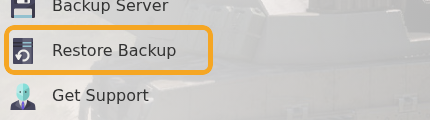
  3. Click Restore Backup.

    Arma 3 Restore Backup button

  4. Select the backup you want to restore.
  5. Tick Are you sure?, then click Execute.
  6. Start the server and check that the expected mission, mods, and config are restored.

Restoring a backup replaces the current server files with the selected backup. If you have made new mission or mod changes since the backup was created, those changes may be overwritten. If you are unsure which backup to restore, submit a support ticket before executing the restore.


  • 0 Пользователи нашли это полезным
Помог ли вам данный ответ?

Связанные статьи

Adding and running a mission on your Arma 3 server

Arma 3 multiplayer missions are usually uploaded as .pbo files into the MPMissions folder. After...

Installing workshop mods to your ARMA 3 server

Install Arma 3 Workshop mods from the control panel, then make sure the server command line loads...

ARMA3 Server mods not showing on game launcher

If Arma 3 launcher only shows some of your server mods, the server may not be sending enough mod...

How to add creator DLCs to an Arma3 server

Some Arma 3 Creator DLC content needs dedicated server files and a matching startup parameter...

How to join an Arma 3 server

You can join your Arma 3 server by using the connection address from your control panel. Arma 3...