
You can join your Arma Reforger server by using the server address shown in your control panel. Reforger also has a separate query port and RCON port, so make sure you use the main Connection Info address when joining from the game.

  1. Open your Arma Reforger server in the control panel.
  2. Copy the address under Connection Info.
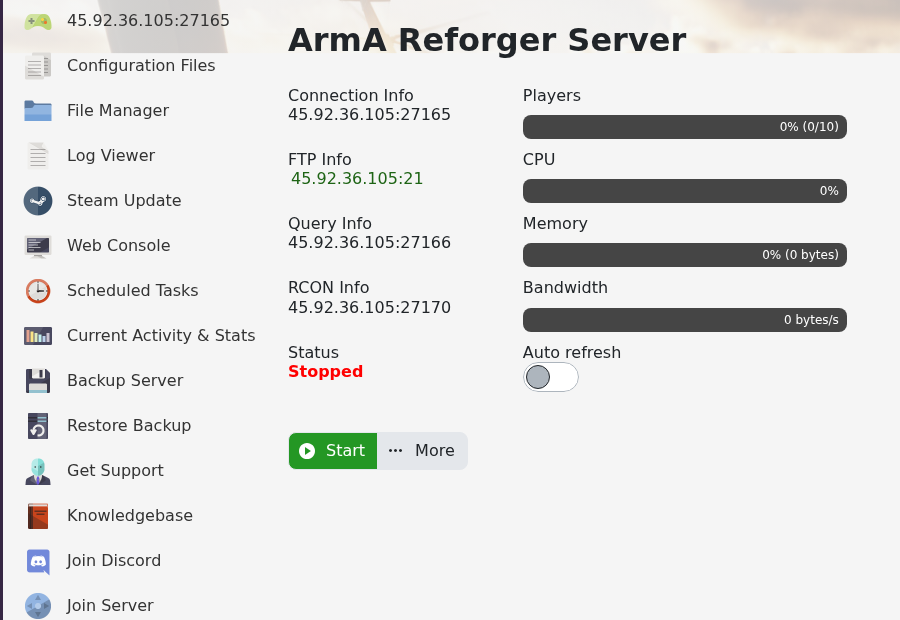
    Arma Reforger control panel showing Connection Info

  3. Open Arma Reforger on your PC.
  4. Select Multiplayer from the main menu.
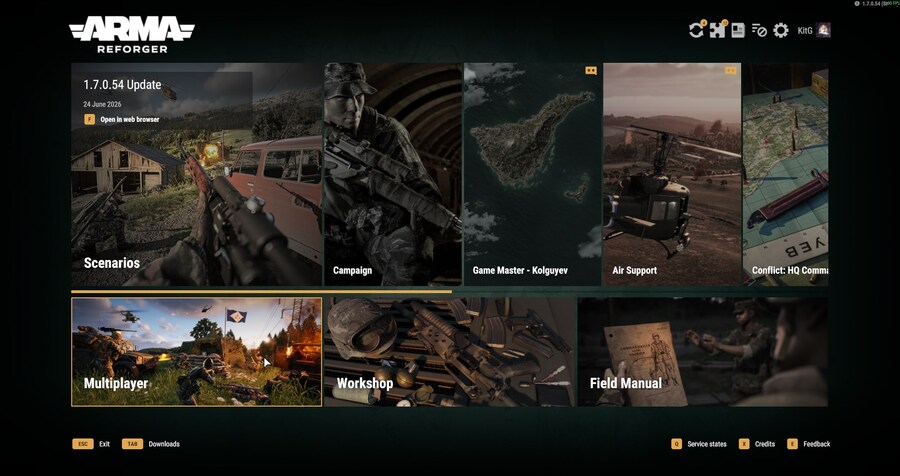
    Arma Reforger main menu showing Multiplayer

  5. Search for your server name, or use direct connect with the IP and port from the panel.
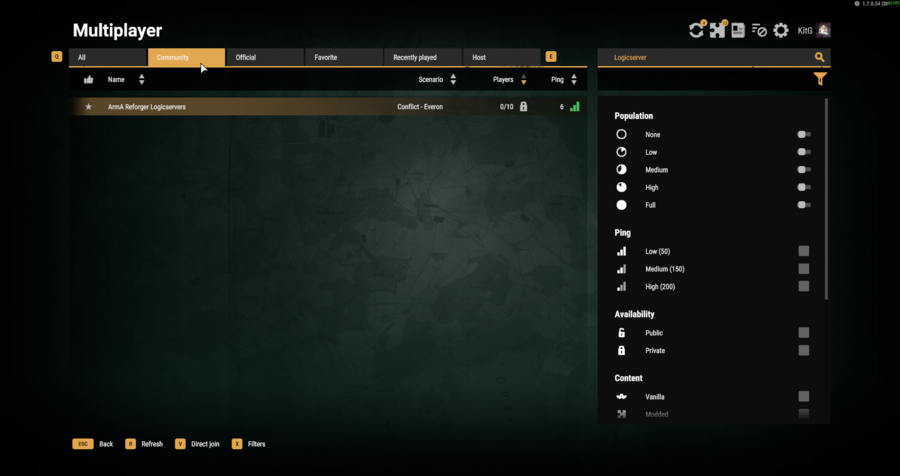
    Arma Reforger multiplayer browser showing the server search result

  6. Select the server, enter the server password if one is configured, then join.
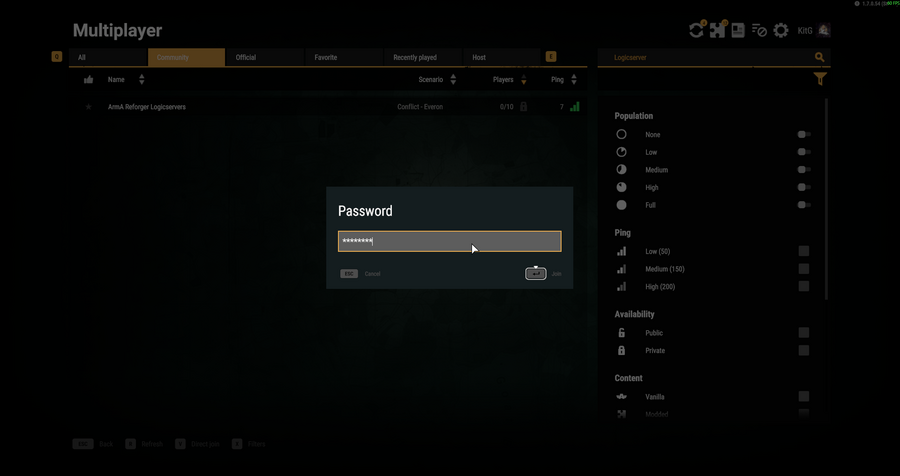
    Arma Reforger password prompt before joining a protected server

If you cannot find the server, check that Server Visible is enabled in server_config.json and that the server has fully started.


  • 0 Utilisateurs l'ont trouvée utile
Cette réponse était-elle pertinente?

Articles connexes

How to update your Arma Reforger server

Use Steam Update when Arma Reforger releases a server update or when your client reports that the...

How to backup your Arma Reforger server

Create a backup before changing scenarios, editing server_config.json, adding mods, changing RCON...

How to restore a backup on your Arma Reforger server

Restore a backup when you need to roll back after a broken update, bad JSON edit, unwanted...

How to change your Arma Reforger server name and password

The Arma Reforger server name and password are stored in server_config.json. Use the Config...

How to change Arma Reforger server_config.json settings

Most Arma Reforger server behaviour is controlled by server_config.json. Use the Config Editor...
