
Use Steam Update when Arma Reforger releases a server update or when your client reports that the server is out of date. Take a backup first if you have custom JSON settings, saves, or manually added files.

  1. Open your Arma Reforger server in the control panel.
  2. Click Backup Server first if the save or config is important.
  3. Click Steam Update from the left side menu.
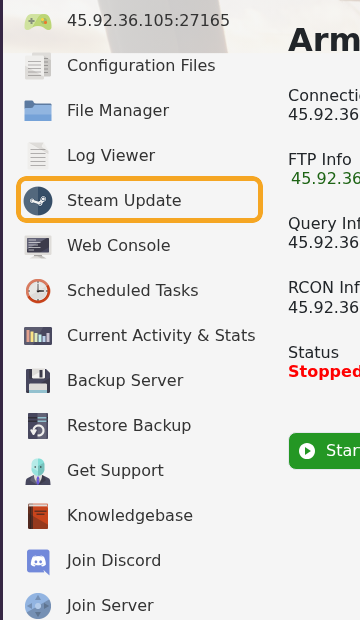
    Arma Reforger control panel showing Steam Update

  4. Wait for the Steam update task to finish.
  5. Start or restart the server.

After updating, check server_config.json if the server does not appear in the browser. Reforger updates can be strict about JSON formatting and scenario/mod values.


  • 0 用戶發現這個有用
這篇文章有幫助嗎?

相關文章

How to join an Arma Reforger server

You can join your Arma Reforger server by using the server address shown in your control panel....

How to backup your Arma Reforger server

Create a backup before changing scenarios, editing server_config.json, adding mods, changing RCON...

How to restore a backup on your Arma Reforger server

Restore a backup when you need to roll back after a broken update, bad JSON edit, unwanted...

How to change your Arma Reforger server name and password

The Arma Reforger server name and password are stored in server_config.json. Use the Config...

How to change Arma Reforger server_config.json settings

Most Arma Reforger server behaviour is controlled by server_config.json. Use the Config Editor...
