
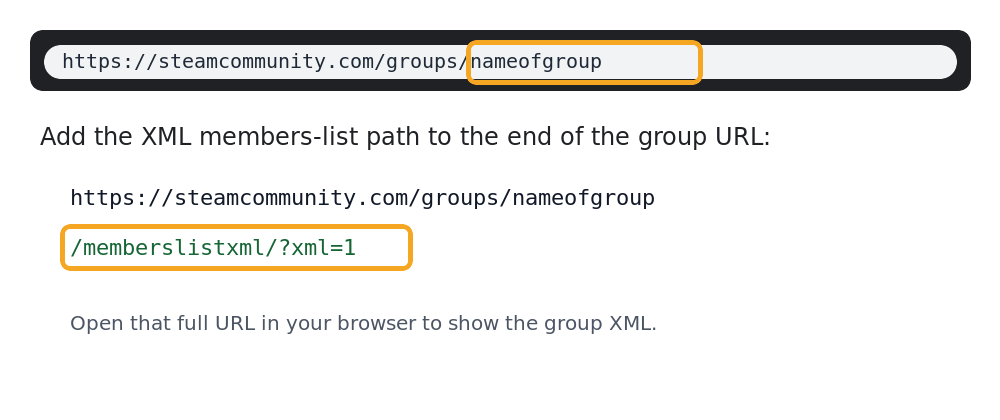
To find your Steam group ID, first get the URL of your Steam group. It will look similar to:
https://steamcommunity.com/groups/nameofgroup
Then add the following to the end of the URL:
/memberslistxml/?xml=1
That gives you a URL similar to:
https://steamcommunity.com/groups/nameofgroup/memberslistxml/?xml=1
The page will show XML code. Near the top, look for <groupID64>. For example:
<memberList>
  <groupID64>103249292485930254</groupID64>
</memberList>
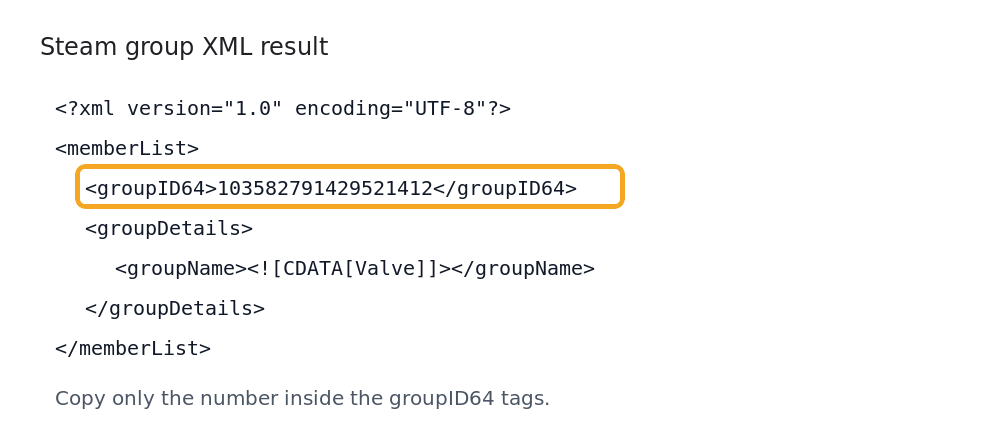
Copy the number from inside the <groupID64> tags. That number is your Steam Group ID.
You can use that ID on your Space Engineers server when enabling Steam group whitelist.
Old Method
Make sure you are a member of the Steam group and signed into your Steam account. On the group page, click Invite Friends. The group ID may appear as a long number at the end of the URL bar. In the Steam app, enable the setting that displays the Steam URL bar first.


