
Your VPS IP address is used for SSH, Remote Desktop, DNS records, game server connections, and firewall rules. The VPS panel normally shows the public IP, but you can also check from inside the operating system.
Check the VPS panel
- Open your VPS service from the client area.
- Open the VPS control panel.
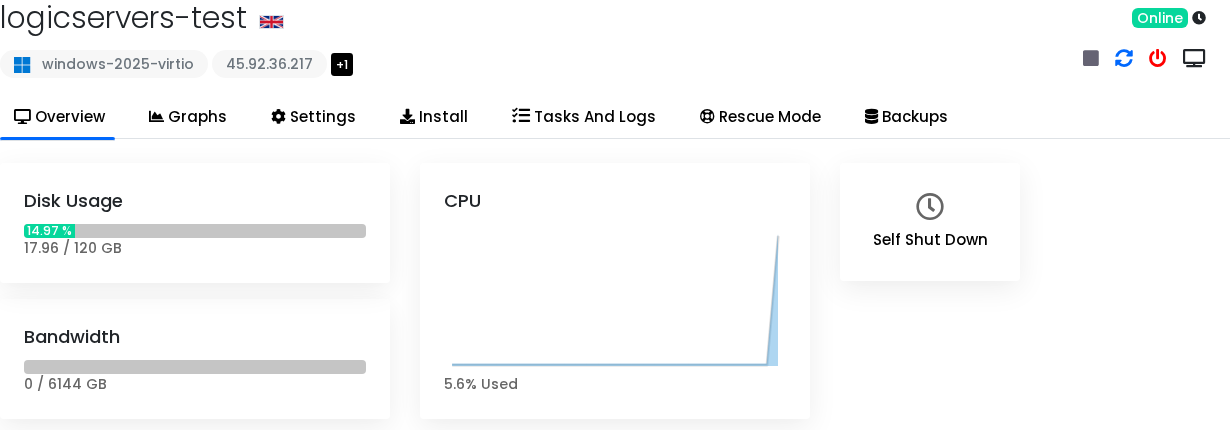
- Check the VPS overview for the public IP address and resource information.
Linux VPS
Show addresses on the VPS:
ip addr
Show the default route:
ip route
Check the public IP seen by external services:
curl -4 ifconfig.me
Windows VPS
Open PowerShell and run:
ipconfig
Get-NetIPConfiguration
What the network details mean
| Detail | Meaning |
|---|---|
| Public IP | The address people use to reach the VPS from the internet. |
| Private IP | An internal address that may only work inside the provider network. |
| Default route | The route Linux uses to send traffic out to the internet. |
| Port | The application-specific number used by SSH, RDP, game servers, web servers, and panels. |
Game server addresses
A game server address normally needs both the IP and the game port. For example:
45.92.36.217:25565
If the IP is correct but players cannot connect, check the service is listening and the firewall allows the port.


