
Space Engineers admins can use the in-game admin tools to manage players, entities, trash removal, and other server controls. Admin access is set with SteamID64 values in the SpaceEngineers-Dedicated.cfg Config Editor.
Add An Admin
- Find the player's SteamID64 first: How to find your personal Steam ID64 number.
- Open your Space Engineers server in the control panel.
- Click Configuration Files.
- Open
worlds\SpaceEngineers-Dedicated.cfgwith Config Editor.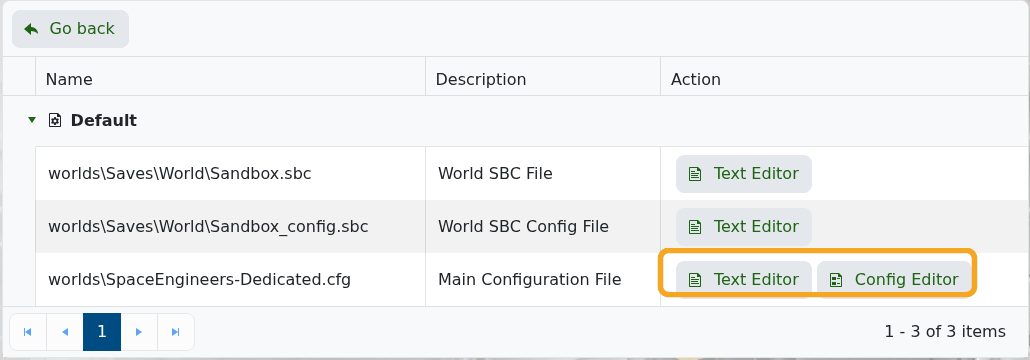
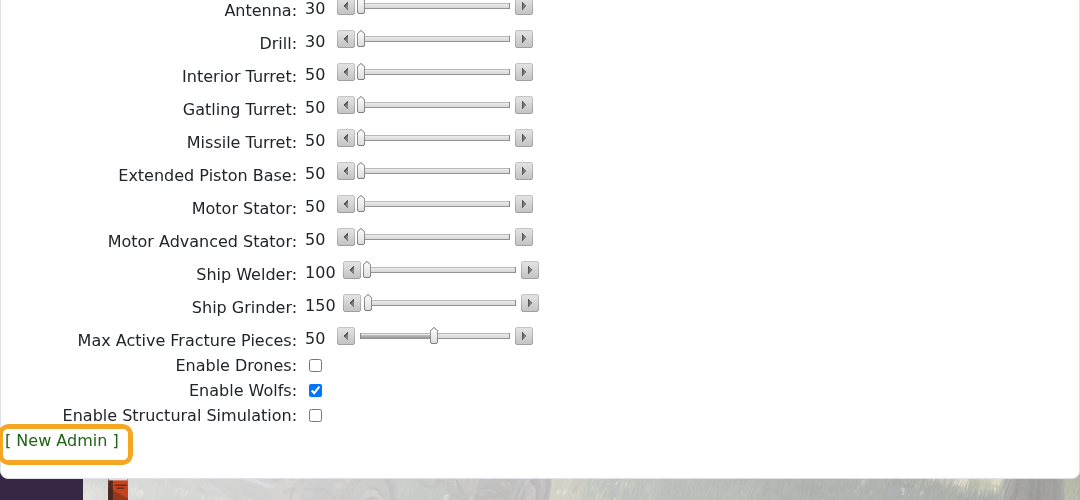
- Scroll to the bottom of the Config Editor, then click [ New Admin ].
- Enter the player's SteamID64 into the Steam64ID field. You can click [ New Admin ] again to add another admin row.
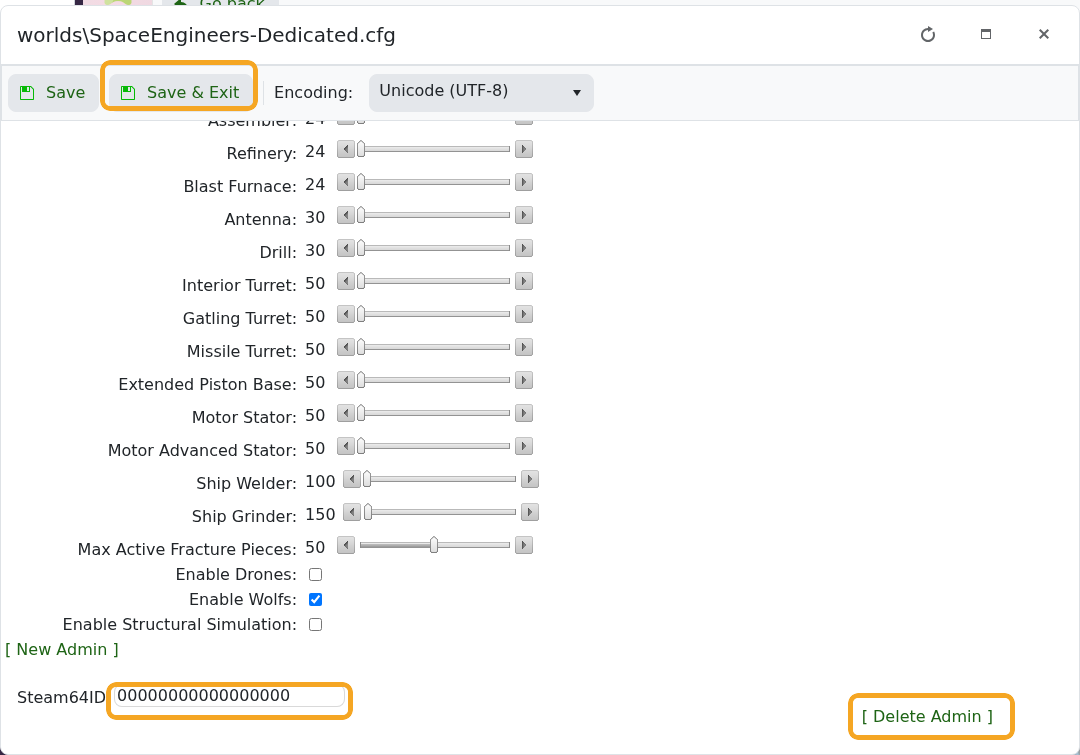
- Click Save & Exit.
- Restart the server so Space Engineers loads the updated admin list.
Remove An Admin
- Open the same
worlds\SpaceEngineers-Dedicated.cfgConfig Editor. - Scroll to the admin list at the bottom.
- Click [ Delete Admin ] next to the SteamID64 you want to remove.
- Click Save & Exit, then restart the server.
Edit The XML Manually
If you prefer to edit the file directly, open worlds\SpaceEngineers-Dedicated.cfg with Text Editor instead of Config Editor. Find the <Administrators> section and add one <unsignedLong> line for each admin SteamID64.
<Administrators>
  <unsignedLong>76561198000000000</unsignedLong>
</Administrators>
To remove an admin manually, delete that player's <unsignedLong> line, then click Save & Exit and restart the server.
Use the full SteamID64 number only. Do not enter a Steam username, Steam profile URL, or Steam group ID in the admin field.


