
Empyrion admin permissions are controlled in adminconfig.yaml. Add a player SteamID64 under Elevated, choose the permission level, then restart the server so the game loads the updated admin file.
Add An Admin
- Find the player SteamID64: How to find your personal Steam ID64 number.
- Open your Empyrion server in the control panel.
- Click Configuration Files.
- Open
adminconfig.yamlwith Text Editor.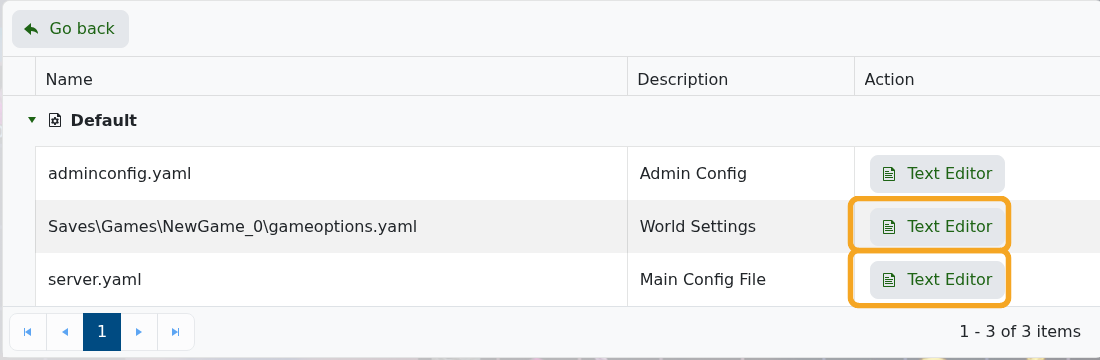
- Add the player under
Elevated. Keep the YAML spacing exactly as shown. - Set
Permissionto9for Admin,6for Moderator, or3for GameMaster.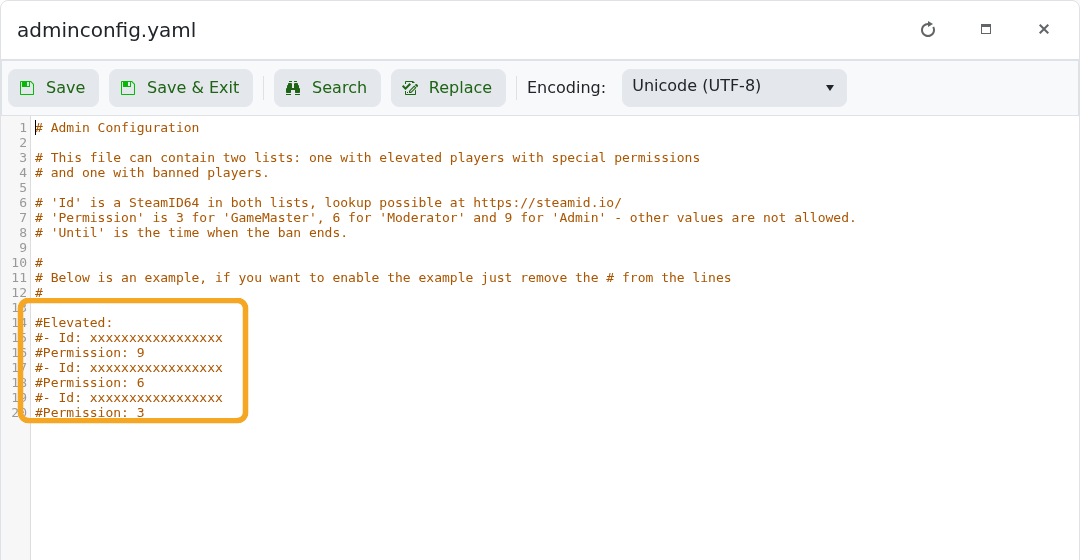
- Click Save & Exit, then restart the server.
Elevated:
- Id: 76561198000000000
  Permission: 9
YAML is spacing-sensitive. If admin access does not apply after restart, check that Permission is indented under the same player entry and that the SteamID64 is correct.


