
Space Engineers loads the world named in SpaceEngineers-Dedicated.cfg. Use this guide when multiple worlds exist on the server and you want to switch which one starts.
Change The Active World
- Open your Space Engineers server in the control panel.
- Stop the server.
- Open File Manager and check the available world folders under
worlds/Saves. - Click Configuration Files.
- Open
worlds\SpaceEngineers-Dedicated.cfgwith Config Editor.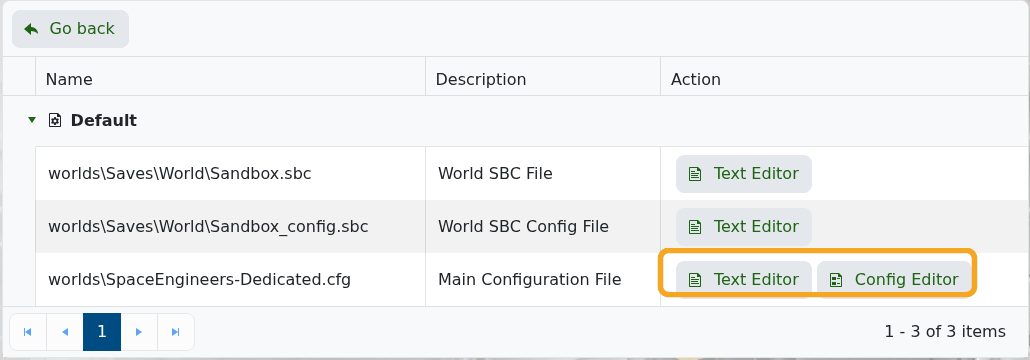
- Change World Name to the exact folder name of the world you want to load.
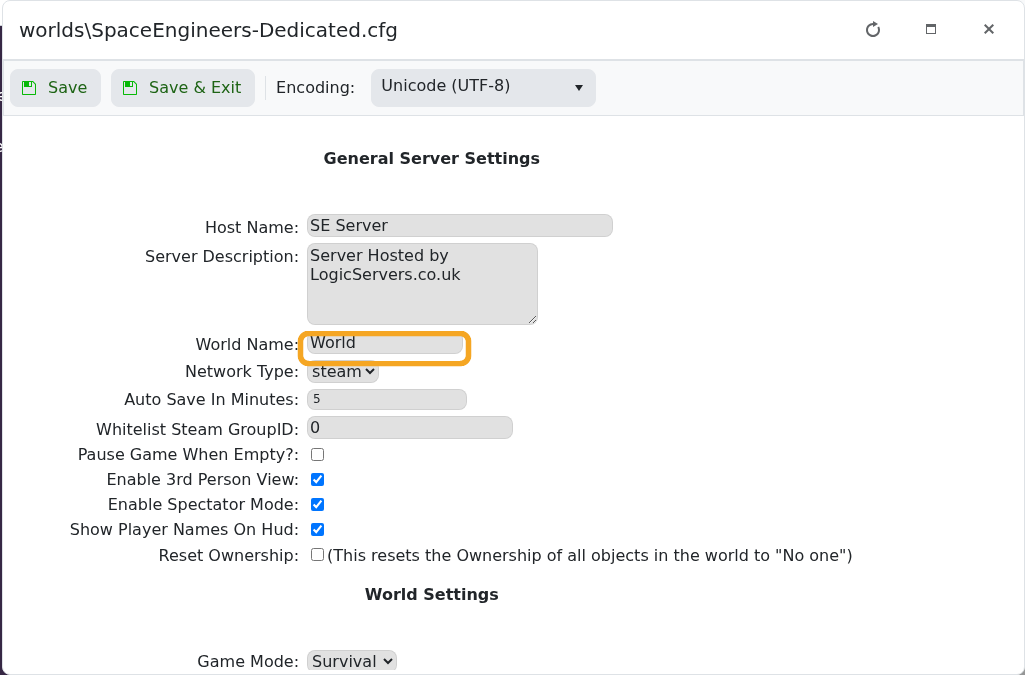
- Click Save & Exit, then start the server.
World folder names must match exactly. If the server creates a fresh world instead, recheck the folder name and confirm the save was uploaded into the correct worlds/Saves path.


