
You need the server address from the control panel before joining your Aloft server.
- Open your Aloft server in the control panel.
- Copy the address shown under Connection Info. It includes the IP and port, for example
45.92.39.185:27065.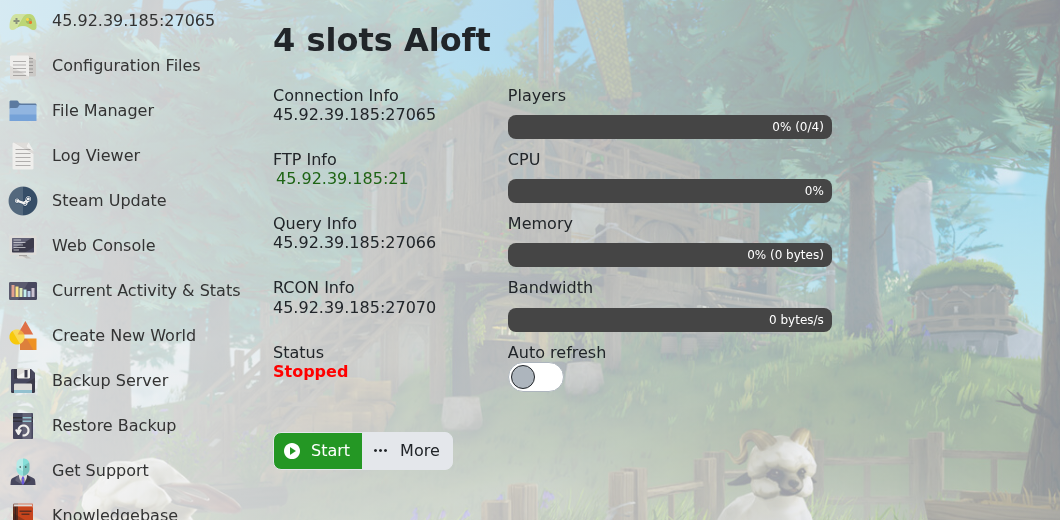
- Open Aloft on your PC.
- Open the multiplayer/server browser screen.
- If your server is visible, search for the server name and join it from the list.
- If you are joining directly, use the IP and port from Connection Info.
If the server does not appear in the public list, check that Is Visible is enabled in the Config Editor. If you still cannot connect, submit a support ticket and include the address you are trying to join.


