
Use Create New World when you want the server to generate a fresh Aloft world instead of loading the current one. This replaces what the server loads, so save a copy of your current world first.

  1. Open your Aloft server in the control panel.
  2. Stop the server.
  3. Click Backup Server and wait for the backup to finish, or download your current save from AppData/Data06/Saves in File Manager.
  4. Click Create New World on the left side menu.
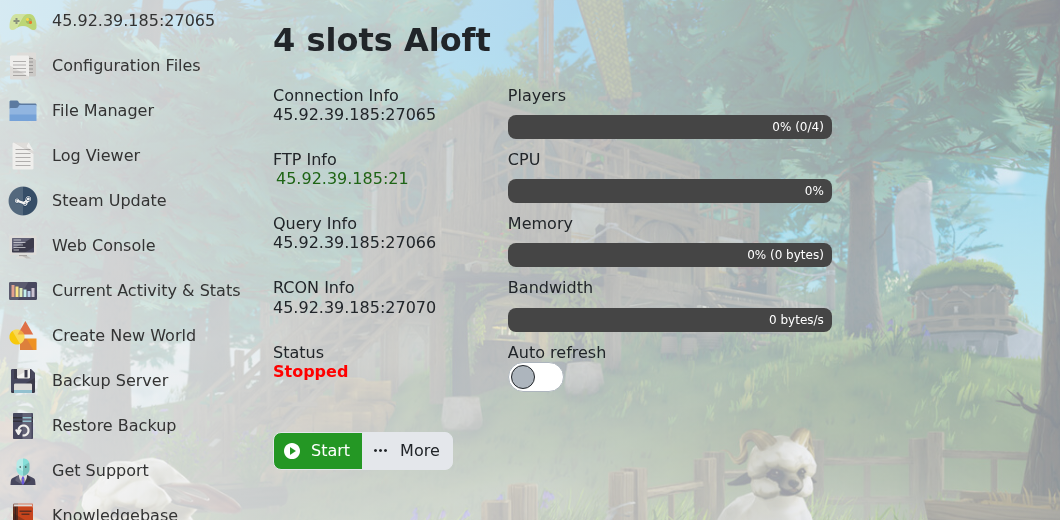
    Aloft control panel Create New World button

  5. The panel runs the new-world script. Wait for it to finish before starting the server again.
  6. Start the server again.

If you want to upload an existing world instead, use How to upload a world to your Aloft Server.

  • 0 användare blev hjälpta av detta svar
Hjälpte svaret dig?

Relaterade artiklar

How to update your Aloft Server

Use Steam Update when Aloft has released a new server update on Steam. Take a backup before...

Changing the name of your Aloft Server

The server name is controlled from AloftServer.ps1 in the Config Editor. Open your Aloft server...

Hiding your Aloft server from the server list

Use Is Visible to control whether your Aloft server appears publicly in the server list. Open...

How to upload a world to your Aloft Server

Aloft world saves are stored in the server file manager under AppData/Data06/Saves. Upload the...

How to join an Aloft Server

You need the server address from the control panel before joining your Aloft server. Open your...

