
Use Steam Update when ASKA has released a server update. Take a backup first so you have a restore point if the update causes problems.

  1. Open your ASKA server in the control panel.
  2. Click Backup Server and wait for the backup to finish.
  3. Click Steam Update on the left side menu.
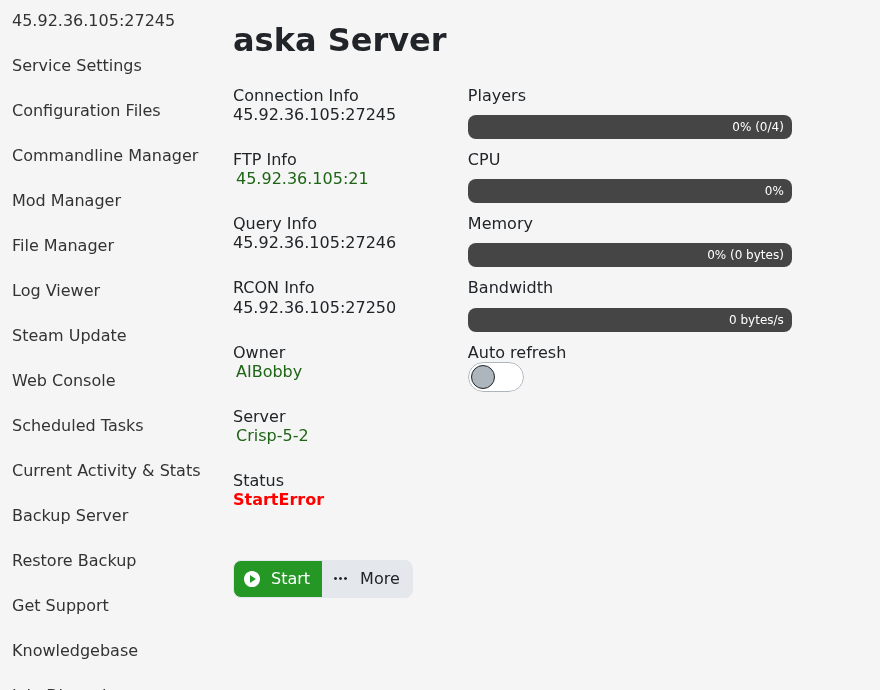
    ASKA control panel Steam Update button

  4. The panel opens a console-style Steam update window. Leave it open until the update process finishes. Steam Update handles the server stop/start process itself.

If the update fails or the server will not start after updating, submit a support ticket and include the last lines from the Web Console.


  • 0 Kasutajad peavad seda kasulikuks
Kas see vastus oli kasulik?

Seotud artiklid

How to backup your ASKA Server

Backing up your server is essential, it allows you to rollback if something goes wrong and gives...

Changing settings on your ASKA server

Customising a server is a big part of owning a private game server, allowing you to get exactly...

Adding a GSLT to your ASKA server

ASKA game servers require a Game Server Login Token (GSLT) in order for the server to run. This...

How to find your ASKA Server in game

In ASKA, build and sustain a powerful Viking tribe where you and your villagers work, craft,...

How to keep your ASKA server running with no one online

ASKA can unload the world when the last player leaves. Turn on Keep Server World Alive if you...
