Icarus can resume the current prospect automatically, or you can force the server to load a specific prospect by editing ServerSettings.ini.

  1. Open your Icarus server in the control panel and stop the server.
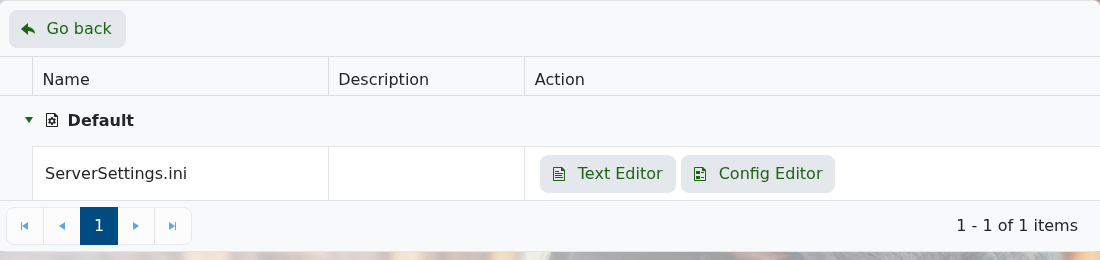
  2. Click Configuration Files.
  3. Open ServerSettings.ini with Text Editor.

    Icarus ServerSettings.ini Text Editor button

  4. Find LoadProspect=.
  5. Enter the prospect name after LoadProspect=. Leave it blank if you want Icarus to resume the current prospect normally.
  6. Make sure ResumeProspect=True if you want the server to continue the selected prospect after restarts.
  7. Click Save & Exit, then start the server.

Prospect files are stored under Icarus/Saved/PlayerData/DedicatedServer/Prospects. If the prospect is not already on the server, upload it first: How to upload an Icarus prospect to your server.


  • 0 istifadəçi bunu faydalı hesab edir
Bu cavab sizə kömək etdi?

Uyğun məqalələr

How to backup your Icarus Server

ICARUS is a PvE survival game for up to eight players. Explore a savage wilderness in the...

How to change the password your Icarus Server

Prevent unwanted players joining your Icarus Server by putting a password on it, then give that...

How to Update your Icarus server

How to Update your Icarus server ICARUS is a PvE survival game for up to eight players. Explore...

How to change the name of your Icarus server

How to change the name of your Icarus server ICARUS is a PvE survival game for up to eight...

How to create a world on your Icarus server

Icarus worlds are created as prospects. On a dedicated server, the usual flow is to join the...