
Scheduled restarts help keep long-running Space Engineers worlds stable and give players a predictable maintenance window. Use the control panel's Scheduled Tasks area to create a restart task at a quiet time.
Create A Restart Schedule
- Open your Space Engineers server in the control panel.
- Click Scheduled Tasks from the left side menu.
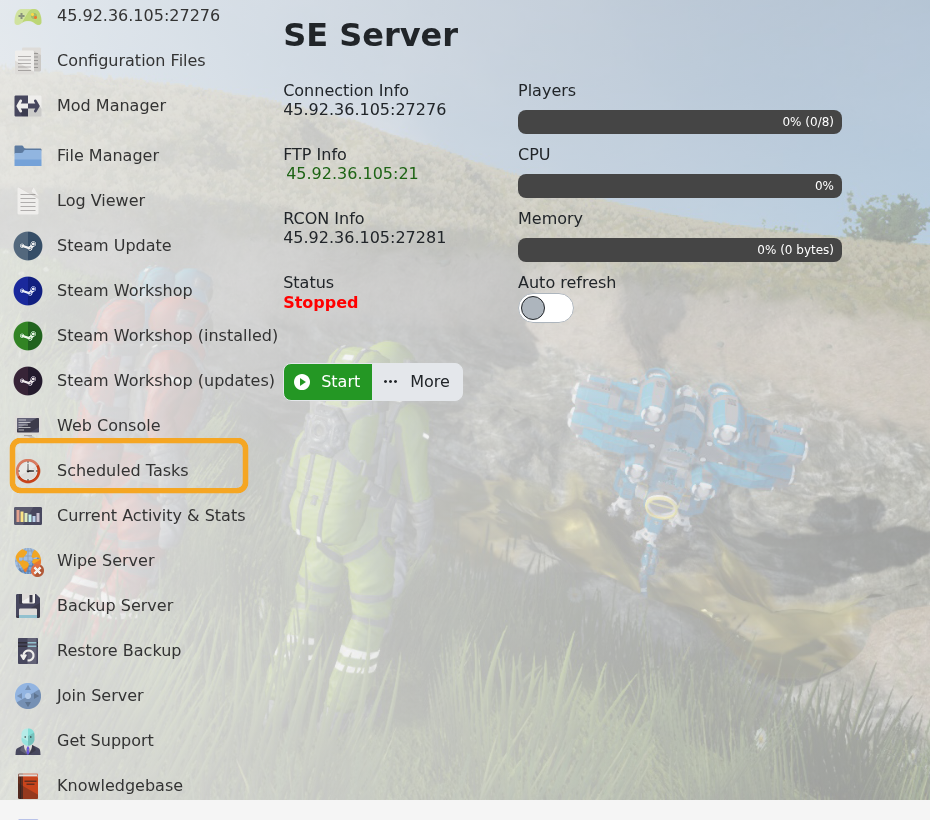
- The task list shows existing scheduled tasks, their last run time, next run time, and enabled status.

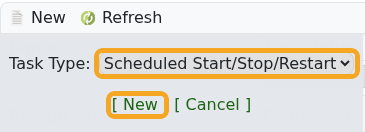
- Click New, set Task Type to Scheduled Start/Stop/Restart, then click [ New ].
- Enter a clear task name, such as
Daily restart, and leave Enabled ticked.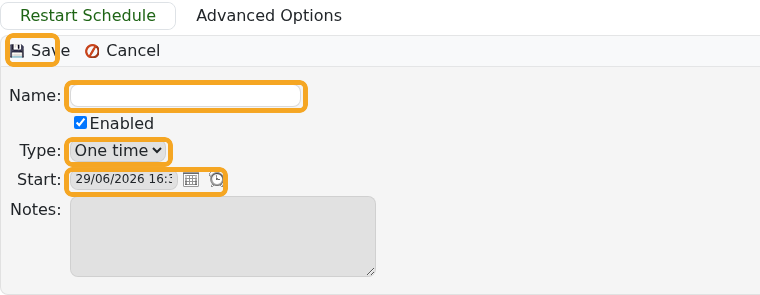
- Choose the first run date and time.
- Set the recurrence. Use Daily for every day, or Weekly for a weekly maintenance restart.
- Click Save, then confirm the next run time in the task list.
Warn players before scheduled restarts if your server is active. Avoid setting restarts during your busiest play time.


