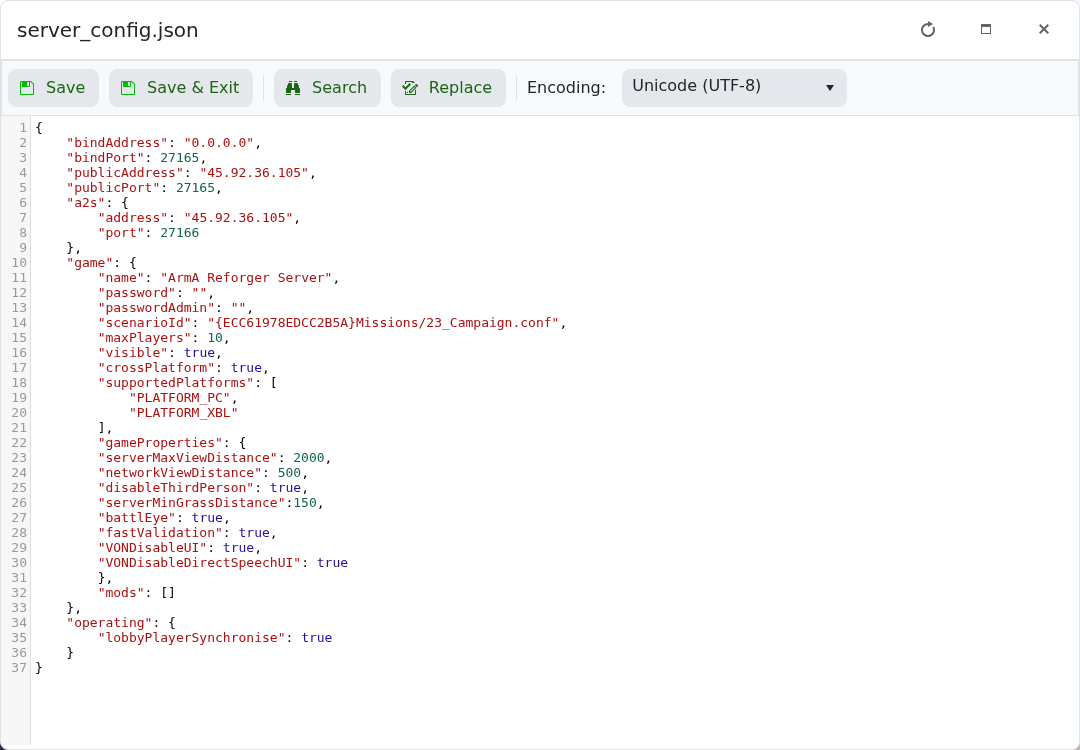
Arma Reforger server mods are loaded from the mods array in server_config.json. On this panel, use the JSON config method rather than Mod Manager or Steam Workshop pages.

  1. Take a backup first.
  2. Open the mod page and copy the mod ID, name, and version required by the mod author.
  3. Open your Arma Reforger server in the control panel.
  4. Click Configuration Files.
  5. Open server_config.json with Text Editor.

    Arma Reforger server_config.json Text Editor showing mods array

  6. Add the mod entry inside the mods array.
  7. Click Save & Exit, then restart the server.

Example format:

"mods": [
    {
        "modId": "MOD_ID_HERE",
        "name": "Mod Name",
        "version": "1.0.0"
    }
]

Every mod entry must be valid JSON. If you add more than one mod, separate each mod object with a comma. If the server fails to start after adding mods, restore your backup or remove the last mod entry you added.


  • 0 Корисниците го најдоа ова како корисно
Дали Ви помогна овој одговор?

Понудени резултати

How to join an Arma Reforger server

You can join your Arma Reforger server by using the server address shown in your control panel....

How to update your Arma Reforger server

Use Steam Update when Arma Reforger releases a server update or when your client reports that the...

How to backup your Arma Reforger server

Create a backup before changing scenarios, editing server_config.json, adding mods, changing RCON...

How to restore a backup on your Arma Reforger server

Restore a backup when you need to roll back after a broken update, bad JSON edit, unwanted...

How to change your Arma Reforger server name and password

The Arma Reforger server name and password are stored in server_config.json. Use the Config...