
Arma Reforger server mods are loaded from the mods array in server_config.json. On this panel, use the JSON config method rather than Mod Manager or Steam Workshop pages.
- Take a backup first.
- Open the mod page and copy the mod ID, name, and version required by the mod author.
- Open your Arma Reforger server in the control panel.
- Click Configuration Files.
- Open
server_config.jsonwith Text Editor.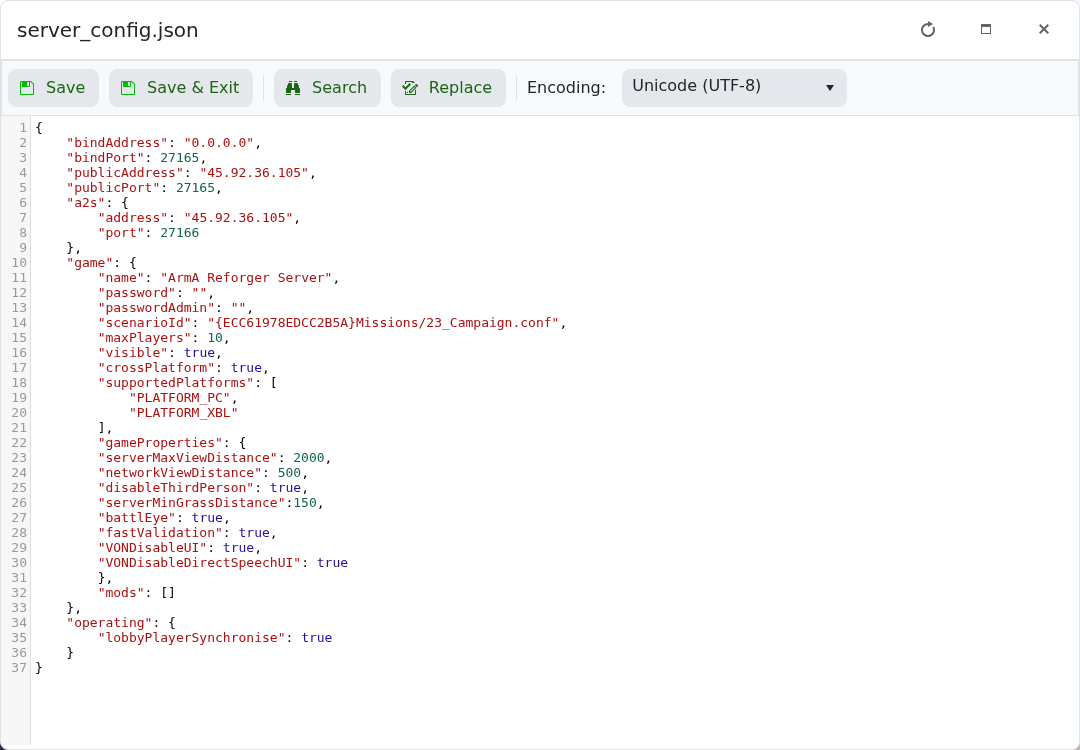
- Add the mod entry inside the
modsarray. - Click Save & Exit, then restart the server.
Example format:
"mods": [
    {
        "modId": "MOD_ID_HERE",
        "name": "Mod Name",
        "version": "1.0.0"
    }
]
Every mod entry must be valid JSON. If you add more than one mod, separate each mod object with a comma. If the server fails to start after adding mods, restore your backup or remove the last mod entry you added.


