
Your VPS hostname can be changed from the VPS panel. This is the best place to update it because the panel hostname is also used for the VPS reverse DNS/PTR record.
Use a real hostname that you control, such as server.example.com. Avoid spaces, underscores, and random display names.
Change the hostname in the VPS panel
- Log in to the client area.
- Open your VPS service.
- Open the VPS control panel.
- Go to the VPS settings or configuration page.
- Change the Hostname field to the hostname you want to use.
- Save the change.
- Check the panel overview or reverse DNS page after saving if you need to confirm the hostname/rDNS update.
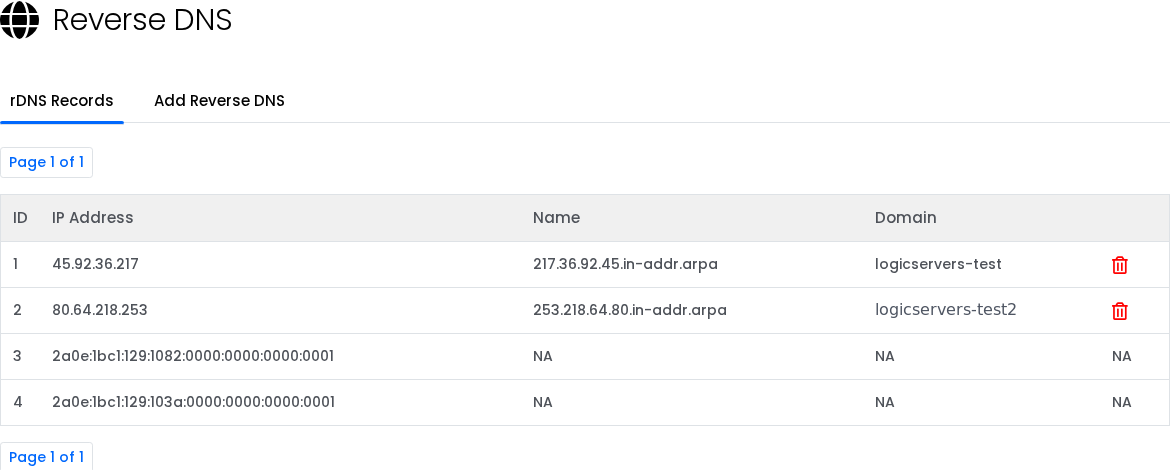
After the panel hostname is saved, the VPS reverse DNS/PTR record updates to match the new hostname. For more detail on PTR records and mail-related checks, see What is reverse DNS or a PTR record on a VPS?.
Point the hostname to the VPS IP
Create or update the normal DNS record for the hostname as well. The hostname should point to the VPS IP address:
server.example.com -> VPS_IP_ADDRESS
This gives you matching forward DNS and reverse DNS, which is important for mail, monitoring, and some security checks.
Inside the operating system
Most users only need to change the panel hostname. If you also want the operating system prompt to use the same name, update it inside the VPS.
On Linux:
sudo hostnamectl set-hostname server.example.com
On Windows, open PowerShell as Administrator and run:
Rename-Computer -NewName "SERVERNAME" -Restart
Changing the operating system hostname does not replace the panel hostname step if you want reverse DNS to update.


