
phpMyAdmin lets you view and manage a Ptero MySQL database from your browser. Use it carefully, as changes made here affect the database directly.

If you need the database endpoint, username, or password first, see our guide here: How to create a database on the Ptero panel.

Open phpMyAdmin

  1. Open your server in the Ptero control panel, then open Databases.
  2. Click the square-with-arrow icon next to the database you want to manage. This opens phpMyAdmin for that database.

    phpMyAdmin button on the Ptero databases page

  3. phpMyAdmin will open in a new browser tab for that database.
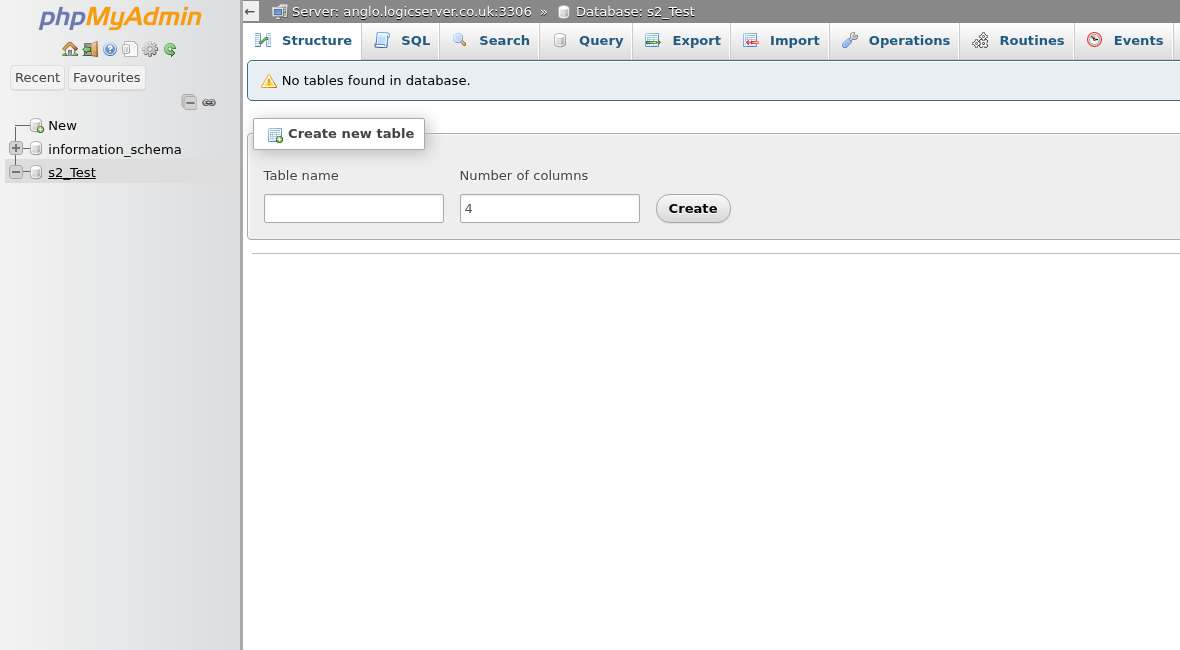
    phpMyAdmin open for a Ptero database

From here, you can import SQL files, export backups, run SQL queries, and check tables. If you are not sure what a plugin or mod needs, check its documentation before making changes.


  • 0 Los usuarios encontraron esto útil
¿Le ha resultado útil esta respuesta?

Artículos relacionados

Setting up Scheduled Tasks in TCAdmin

Log into your control panel. Enter Schedule Tasks, create a new one and choose the...

How to add sub-users in TCAdmin

Log into TCAdmin. Enter Sun Users, found under User Management. Select new, and in...

How to Increase how many players can join your Minecraft Server or Game Server

Expanding server slots is a key step in enhancing your game server's capacity, allowing more...

How to Report Abuse on Services Hosted by LogicServers

At LogicServers, we prioritize maintaining a safe and secure online environment for all our...

Feedback and Complaints Submission

We strive to provide the best service possible, we can only improve on our services with valid...
