
Dragonwilds mods can be installed from Mod Manager when the mod is listed there. You can also upload mod files manually if the mod author provides server-side files and install instructions.
Install or update a mod from Mod Manager
- Take a backup first: How to backup your Dragonwilds Server.
- Stop the server.
- Click Mod Manager on the left side menu.
- Install UE4SS for RSDragonwilds first if the mod needs UE4SS.
- Find the mod you want, then click Install. If the mod is already installed, click Update if shown, or click Install again to reinstall the panel version.
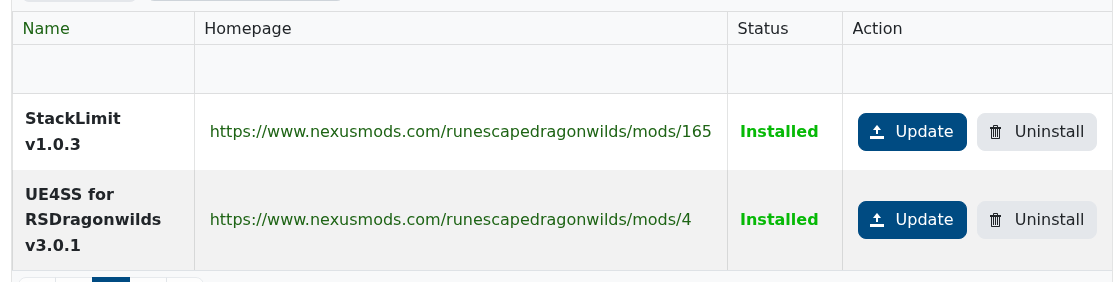
- Wait for the task to finish, then start the server.
If the mod you want is not listed in Mod Manager, submit a support ticket and we can check whether it can be added.
Install or update a manual Dragonwilds mod
For manual updates, stop the server, remove or rename the old mod folder, then upload the new version in the same place.
- Make sure you have the server-side files for the mod and read the mod author's install instructions. These may come from Nexus Mods, GitHub, Discord, or the author's own site.
- If the mod needs UE4SS, install it first: How to install UE4SS on your Dragonwilds server.
- Open File Manager, or use FileZilla for larger uploads: How to connect to SFTP using FileZilla.
- For UE4SS mods, upload the mod folder to
RSDragonwilds/Binaries/Win64/ue4ss/Mods. If it is not a UE4SS mod, use the folder path from the mod author's instructions.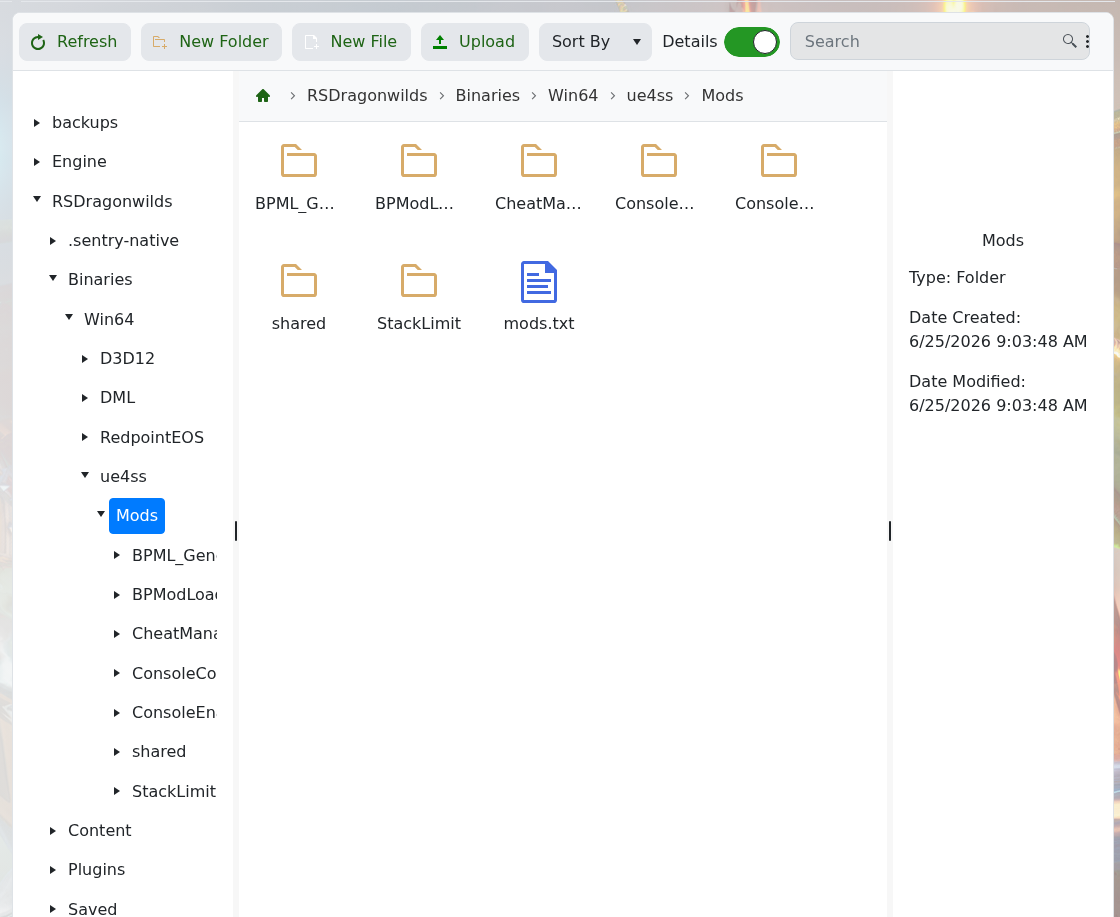
- Start or restart the server after the upload, then check the console for mod errors.


